

Outcomes is an enterprise-only feature. Contact us to get access.
What are Outcomes?
Every completed call or SMS conversation generates raw data: call length, transfer status, pathway tags, citations, and more. But to understand what actually happened, you usually need to combine multiple data points together. Outcomes let you do exactly that. You define rules that connect post-call data (tags, citations, metadata) and produce a final result for each call or conversation. Outcomes work across both voice calls and SMS conversations.The Problem
After a call, you might have:- Pathway tags like
"Appointment Confirmation","Objection Handling","Call Completion" - Citations with extracted variables like
firstName: "James",appointmentConfirmed: true - Call metadata like
call_length,transferred_to,answered_by,call_ended_by
"Appointment Confirmation" where the customer said “no” isn’t a confirmed appointment. A transferred call might look successful based on tags, but if the transfer duration was 0 seconds, the handoff probably failed.
The Solution
Outcomes run transformation code against the full call context after post-call processing completes. You define outcome fields with a name, type, and description, and the platform generates the transformation code to extract what you need. You can then attach outcomes to your post call webhooks, or just query theGET /v1/calls/:id endpoint to retrieve the outcomes for a specific call.
Each call or SMS conversation can have multiple outcomes attached through the disposition_ids field. One outcome might determine whether an appointment was booked while another classifies customer sentiment. Both run independently against the same data.
Creating Outcomes
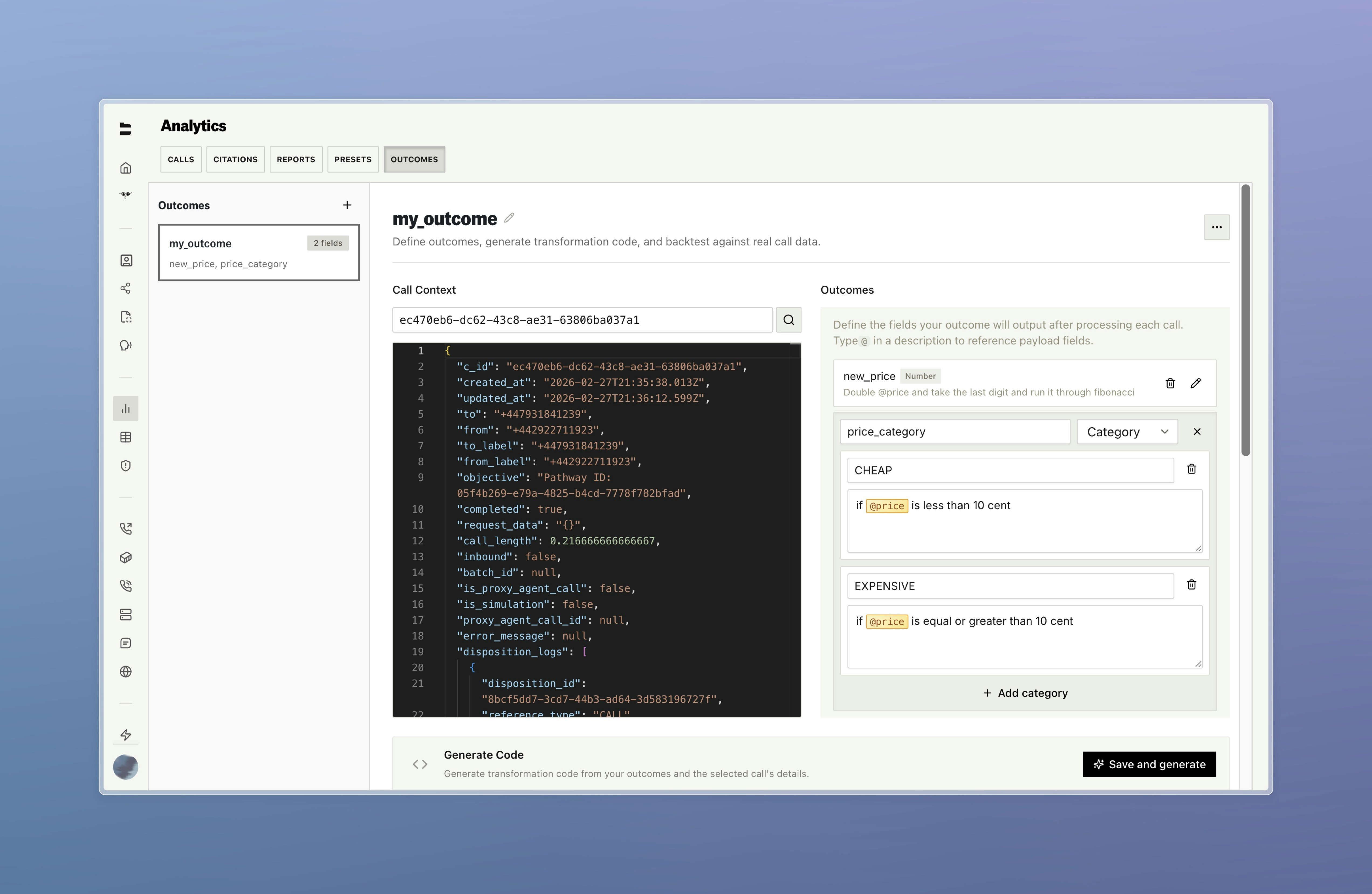
The easiest way to create outcomes is through the Bland platform. For each outcome, you define fields with:- Field name - The name of the value to extract (e.g.,
appointmentBooked,callDisposition) - Type - The data type (e.g.,
boolean,string,number) - Description - A plain-language description of what this field should capture
Back Testing
After defining an outcome, you can back test it against historical calls to verify the results before deploying to live traffic. This lets you iterate on your field definitions until the extracted values match what you expect.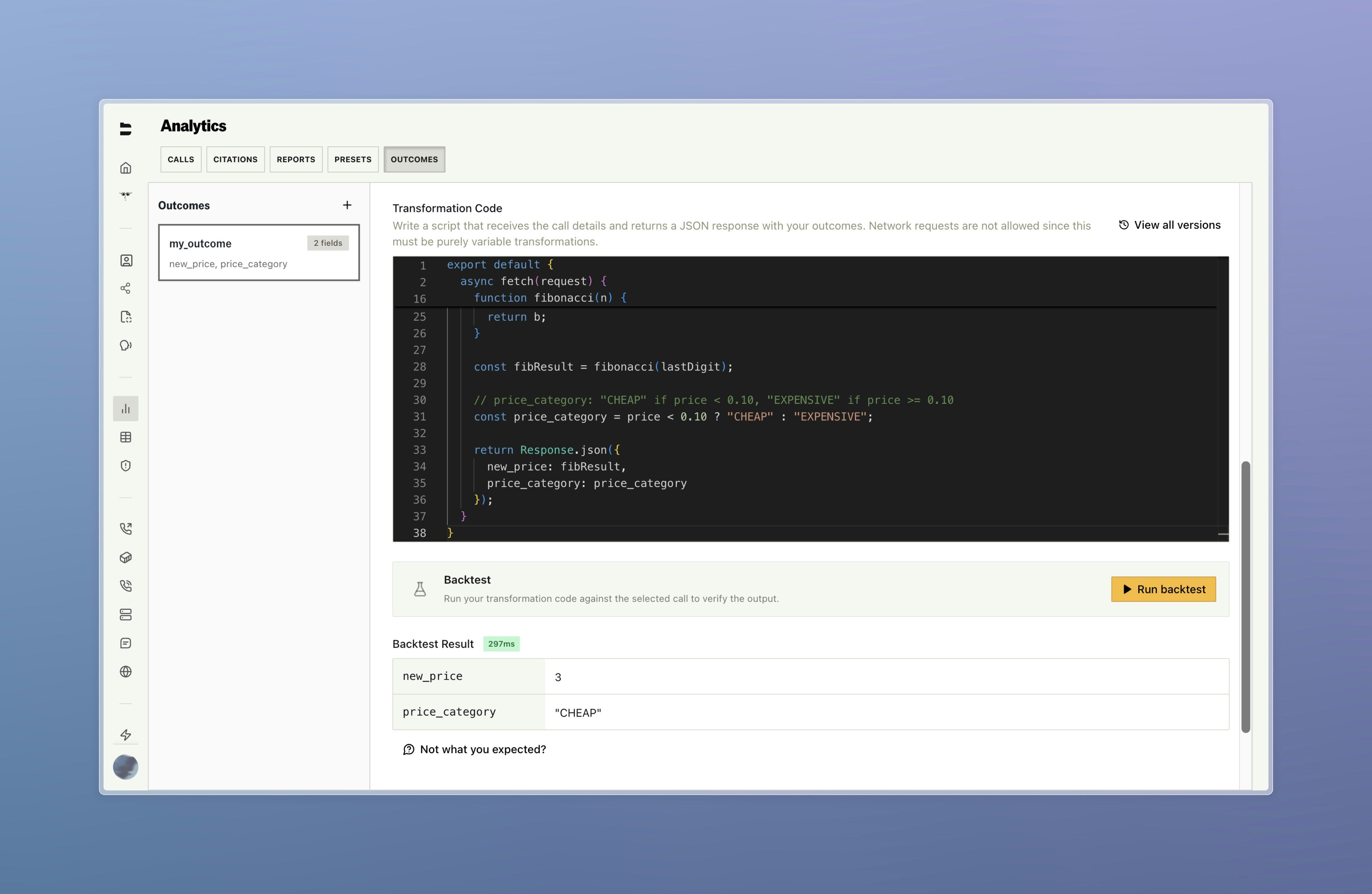
Versioning
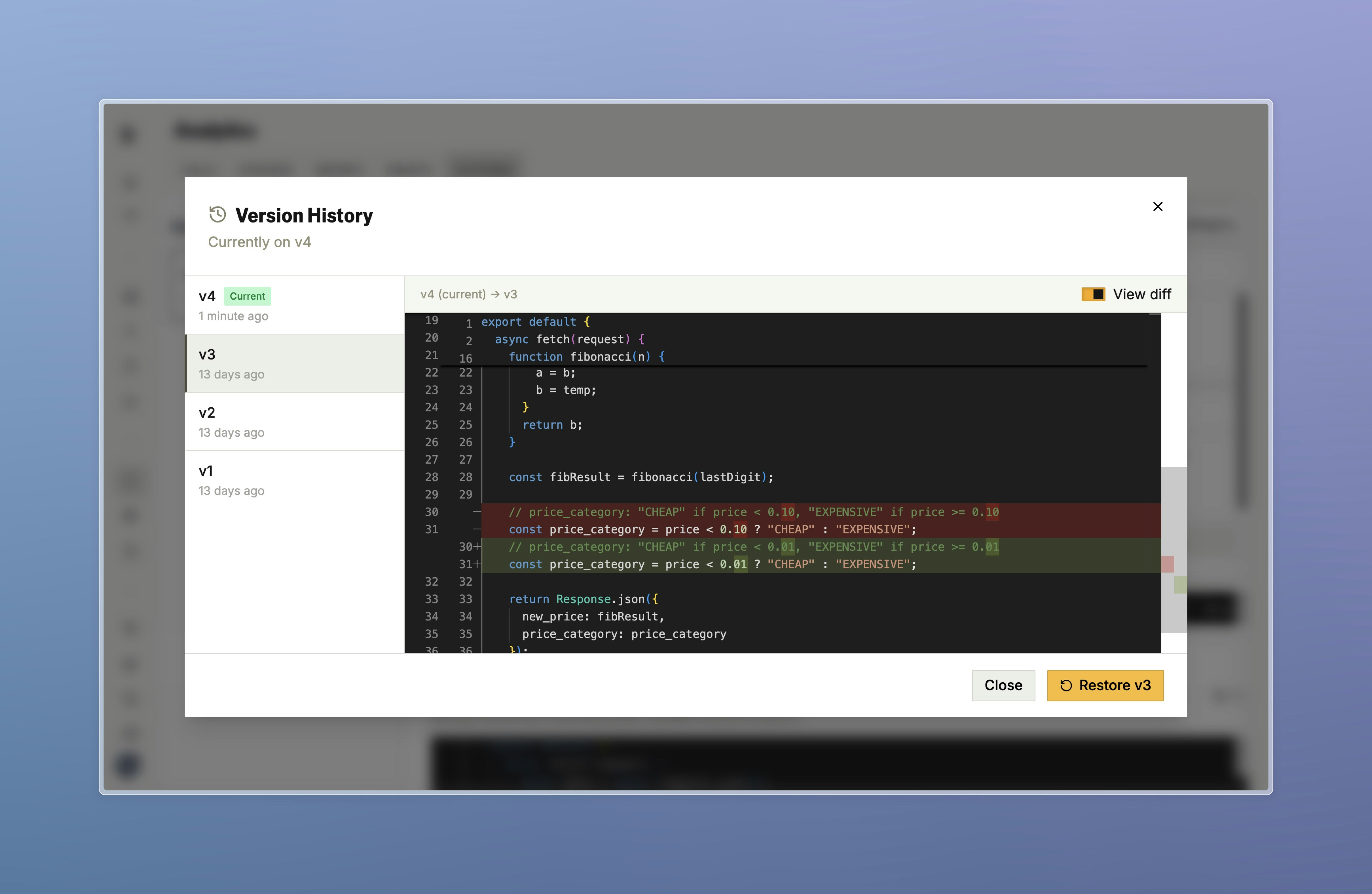
Every time you update an outcome’s transformation code, a new version is created. Previous versions are preserved, so you can:- See which version ran on any given call - Each call’s outcome result is tagged with the version that produced it
- View diffs between versions - Compare what changed in the transformation code from one version to the next
- Roll back if needed - If a new version produces unexpected results, you can revert to a previous one
Use Cases
Appointment Setting
Determine whether an appointment was booked, declined, or if the call dropped before reaching a conclusion by combining pathway tags with citation-extracted confirmation signals.Sales Qualification
Classify calls as “Qualified Lead”, “Not Interested”, “Callback Requested”, or “Wrong Number” based on pathway progression, extracted customer responses, and call duration.Support Resolution
Identify whether an issue was resolved on the call, escalated via transfer, or left unresolved using transfer metadata, pathway tags, and cited customer statements.Compliance Verification
Confirm that required disclosures were made and acknowledged by checking that specific pathway nodes were visited and citation-extracted acknowledgments are present.Getting Started
To set up Outcomes for your enterprise account:- Create an outcome - In the Bland platform, define your outcome fields with a name, type, and description
- Review the generated code - The platform generates transformation code based on your field definitions
- Back test against historical data - Verify the outcome produces correct results on real call or conversation data
- Attach to your calls or SMS conversations - Add the outcome’s ID to the
disposition_idsfield when sending calls or sending SMS
Docs for agents: llms.txt