

RCS
RCS (Rich Communication Services) lets you deliver rich, interactive messages with verified business profiles, suggested replies, action buttons, cards, and media. Bland supports RCS through the same APIs and endpoints used for SMS. No separate integration is required.Enterprise feature — RCS is available on Enterprise plans. Contact your Account Executive or reach out to sales to enable RCS for your numbers.
How it works
- Same endpoints as SMS. Use the same send, receive, and conversation endpoints. If your number has an RCS profile set up via your Messaging Service, Bland defaults to RCS when the recipient supports it.
- Automatic content templates. RCS content templates are generated from your pathways and conversation flow. Quick replies, action buttons, and rich cards are derived from your node logic and messaging context, so replies stay on-brand and on-path.
- Automatic fallback. When a recipient does not support RCS, Bland routes the message over SMS instead.
What RCS looks like
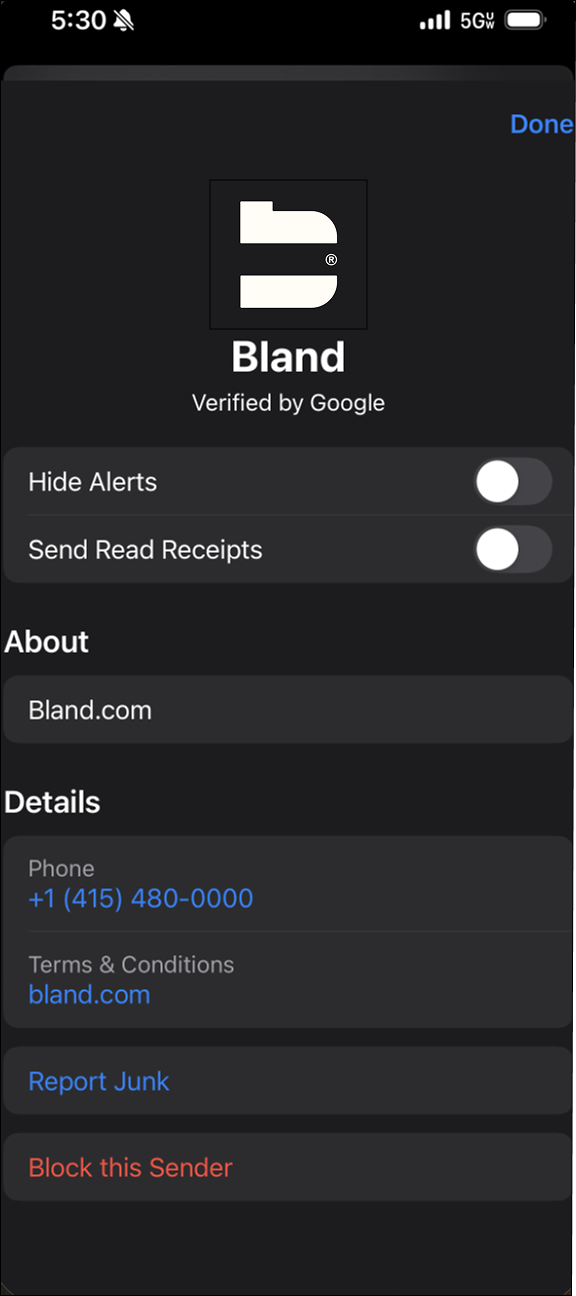
An RCS conversation can show a verified business profile, structured messages, and tap-to-reply options. Your business profile can display verification and contact details.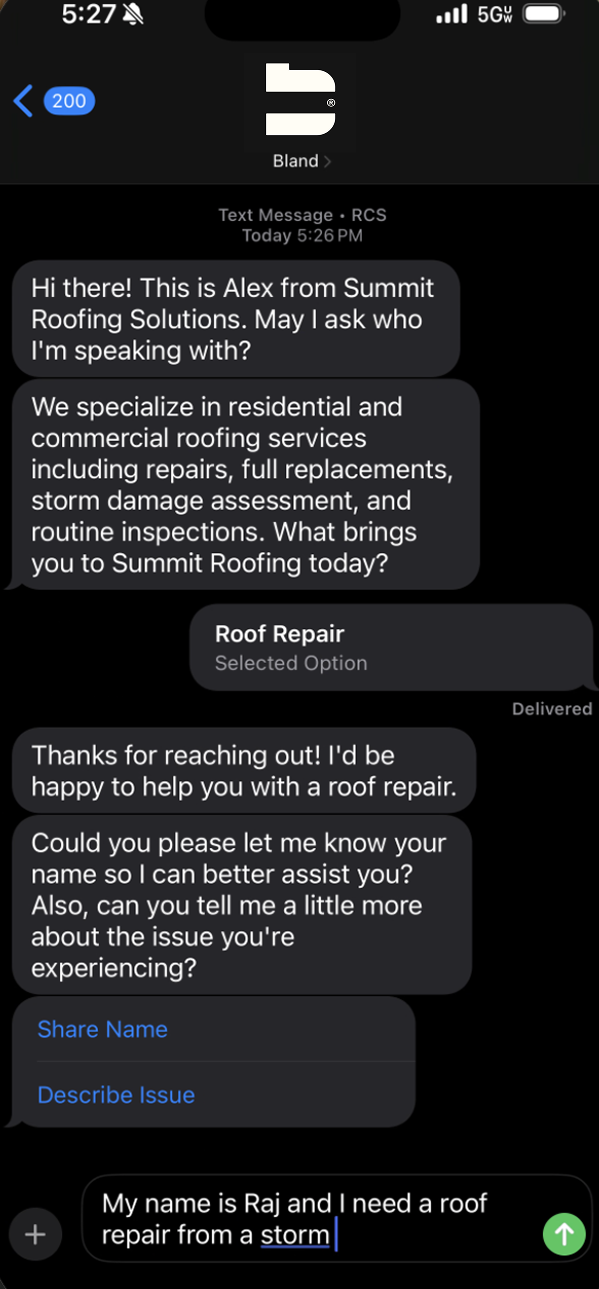
Sending RCS
You don’t need to do anything special to send RCS. Send messages the same way you would for SMS using Send SMS or Create conversation. When the recipient supports RCS and your number has an RCS profile, Bland routes the message over RCS automatically.Setup
Contact your Account Executive to enable RCS on your messaging numbers. Once enabled, RCS uses the same configuration (pathway, persona, prompt, timeouts, analytics) as the rest of your messaging stack.Related
- Overview (channel-agnostic concepts and API)
- SMS (RCS falls back to SMS when a recipient is not supported)
- iMessage (rich messaging on Apple devices)
Docs for agents: llms.txt