

Tools on Pathway Nodes
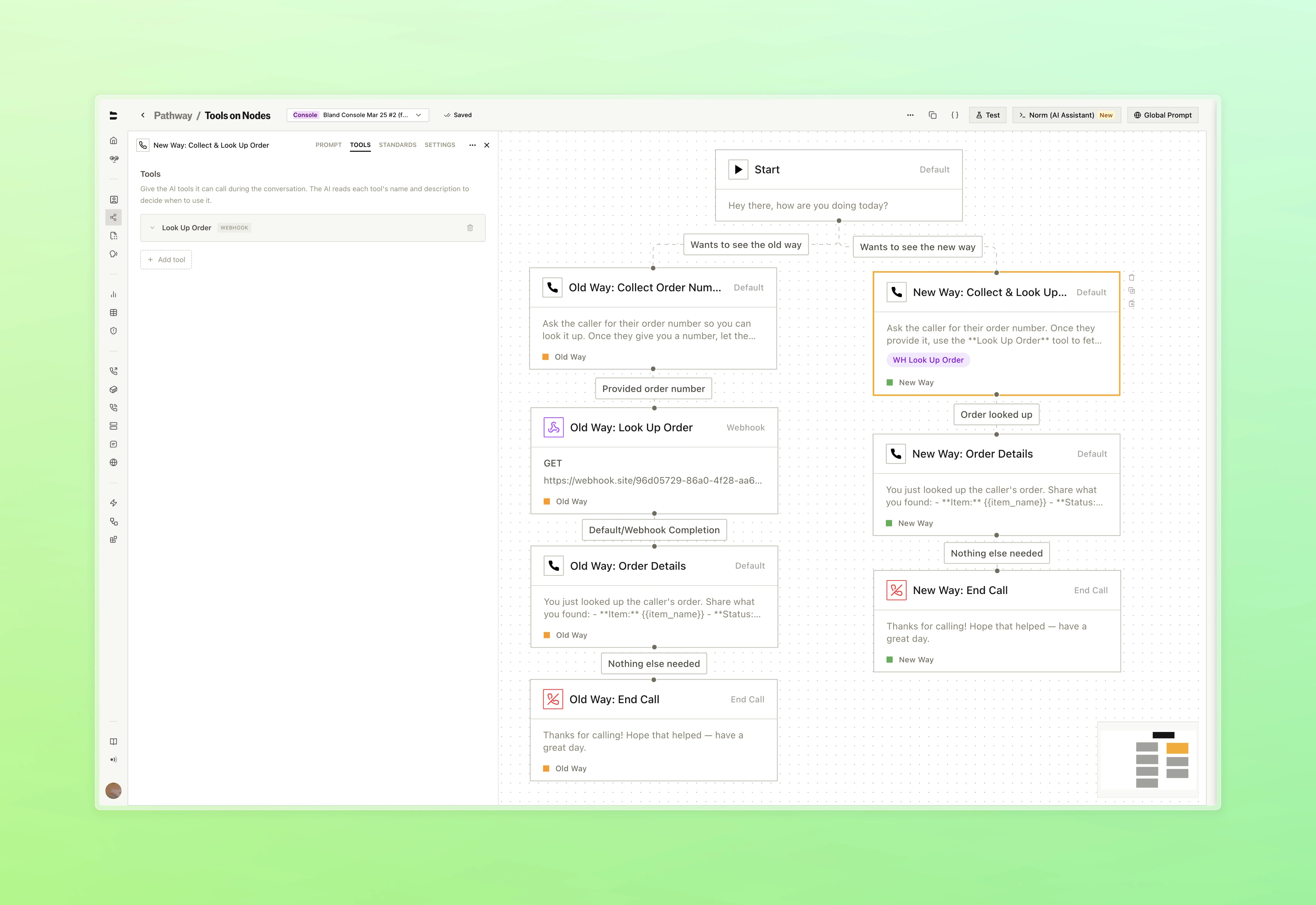
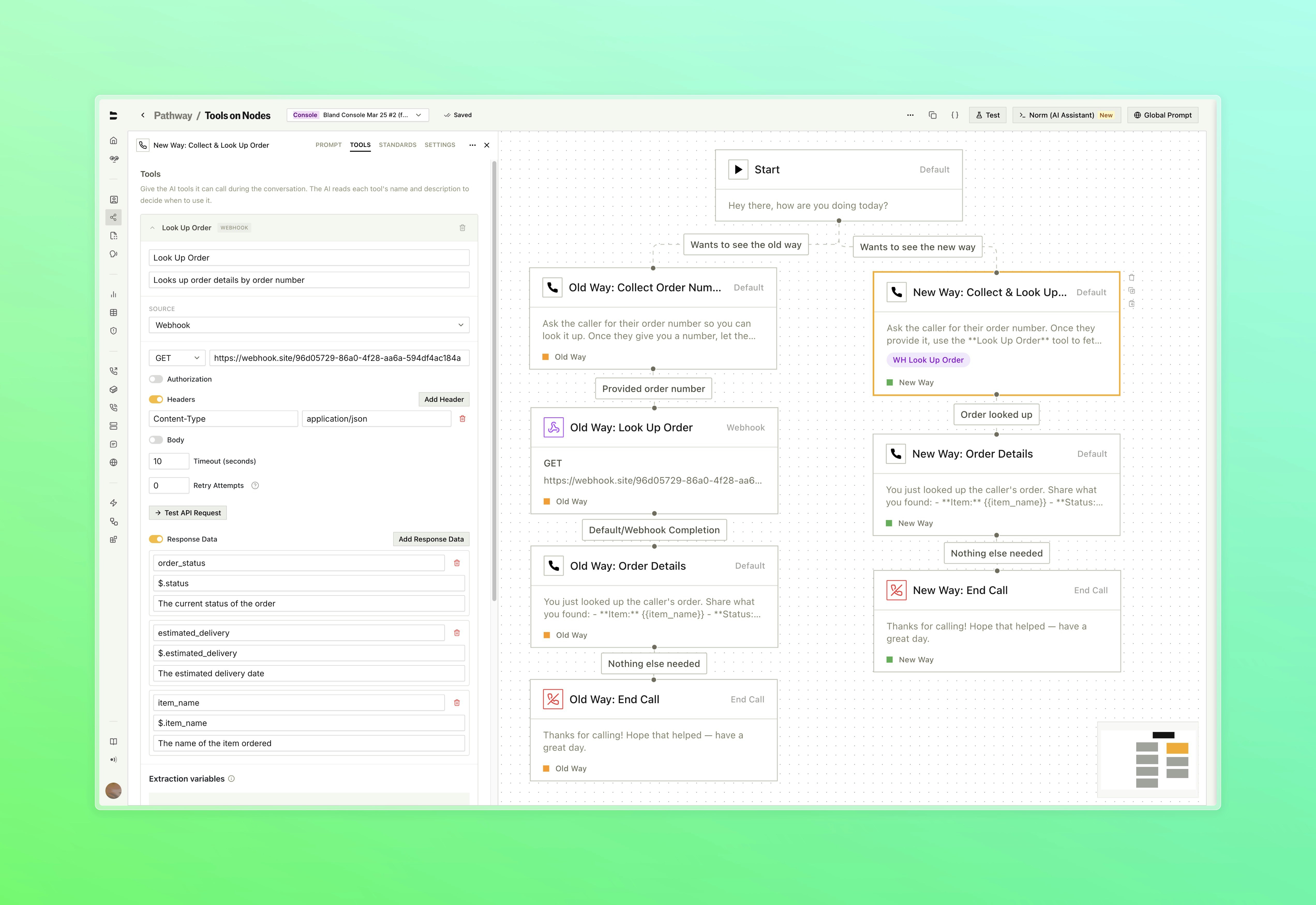
Condense your pathways by running tools directly inside Default nodes. What previously required dedicated separate nodes can now live inline, with suport for more tool types being revealed soon.- Attach webhook configurations to a Default node. The Bland agent decides when to call the tool based on the dialogue prompt and conversation context (reference the name of the tool from within your dialogue prompt)
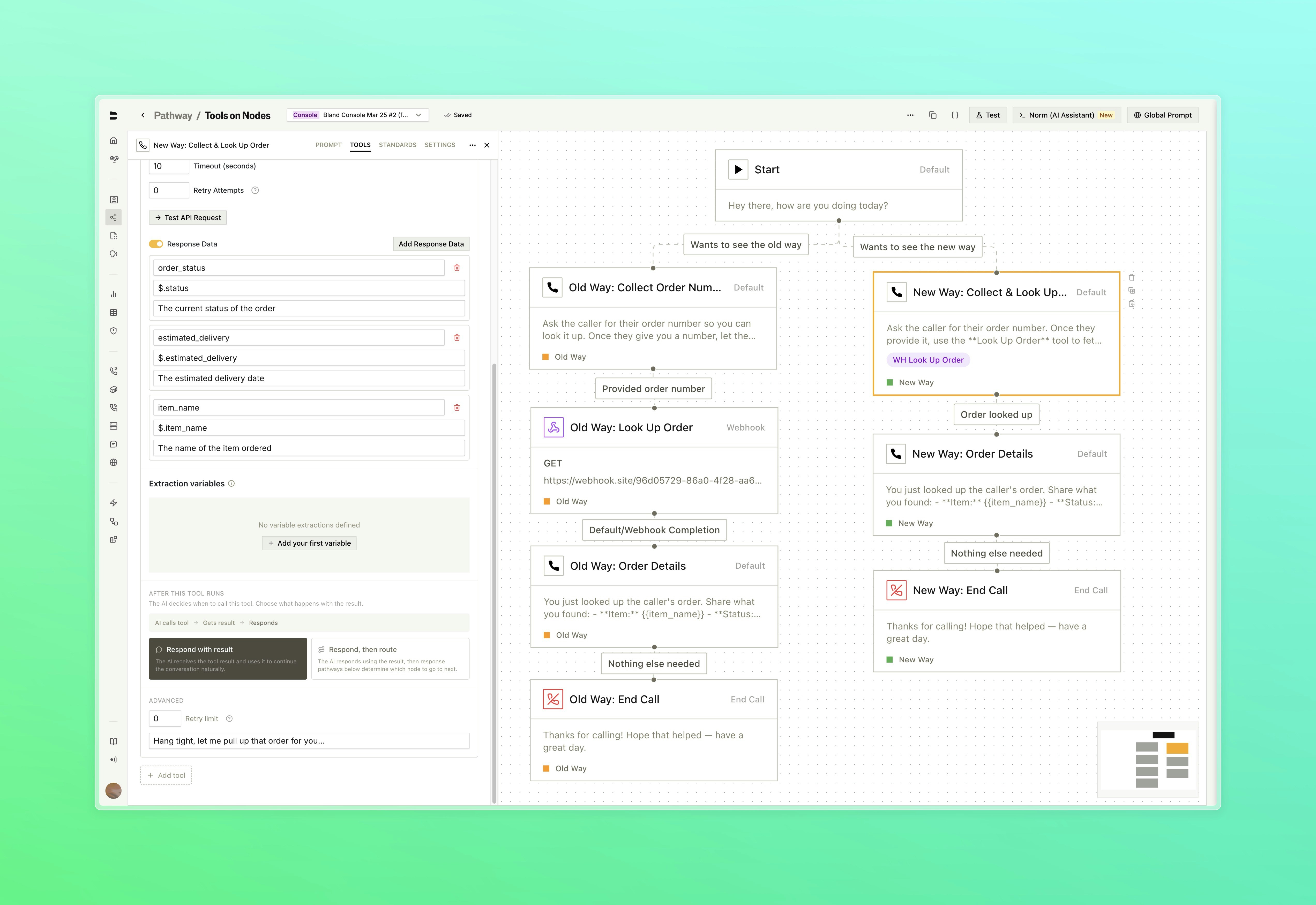
- Route the call based on what the tool returns using configurable response pathways, with variable extraction from the tool output
- Set speech behavior during tool execution, configure timeout and retry limits, and extract variables from the response, all inline with the node
- Before & After
- Attach a Tool
- Webhook & Variables
- Response Pathways
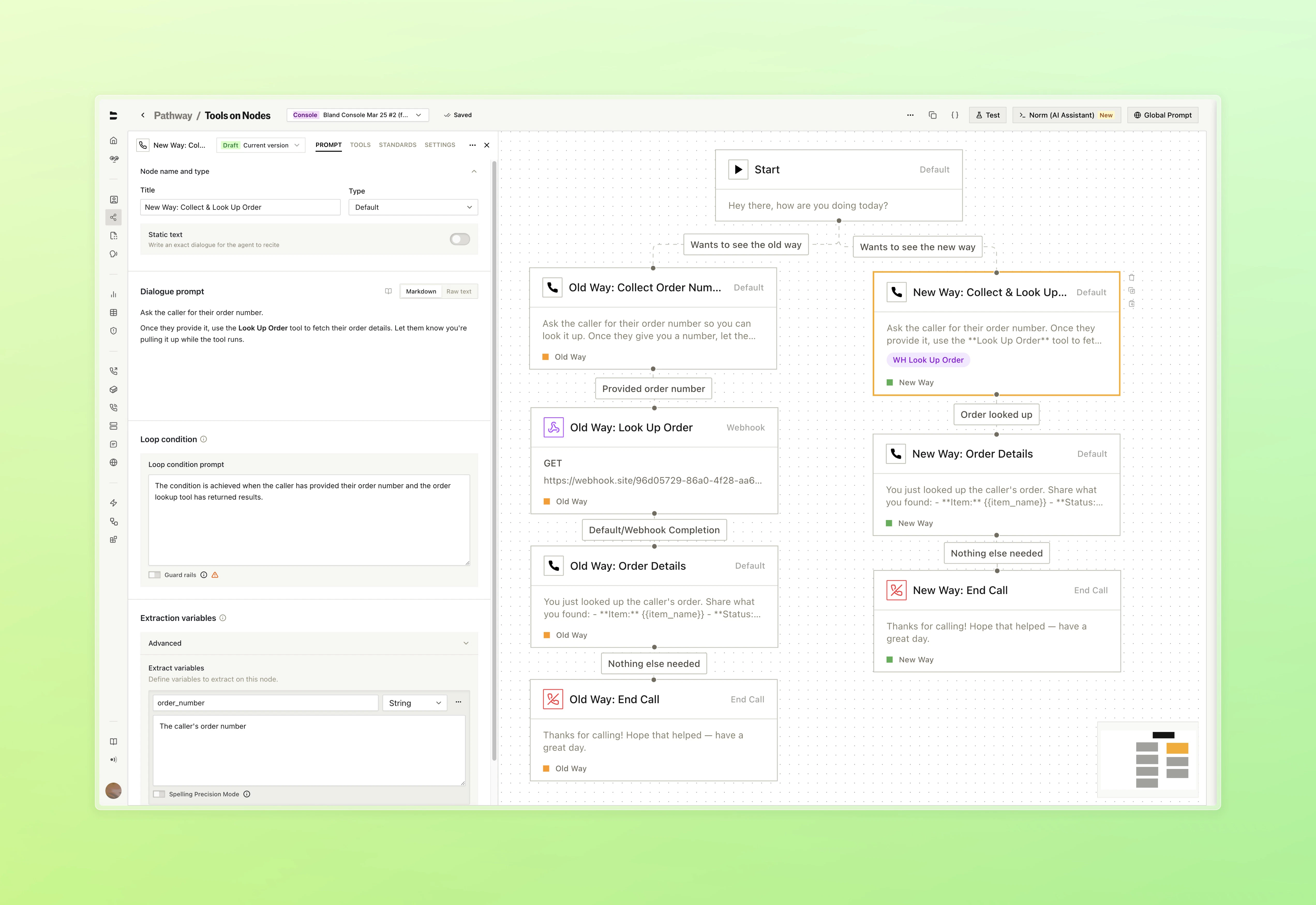
What used to require a separate node for every tool call can now live inside a single Default node. Reference the name of your tool within the dialogue prompt to describe when it shoudld be triggered
Improvements
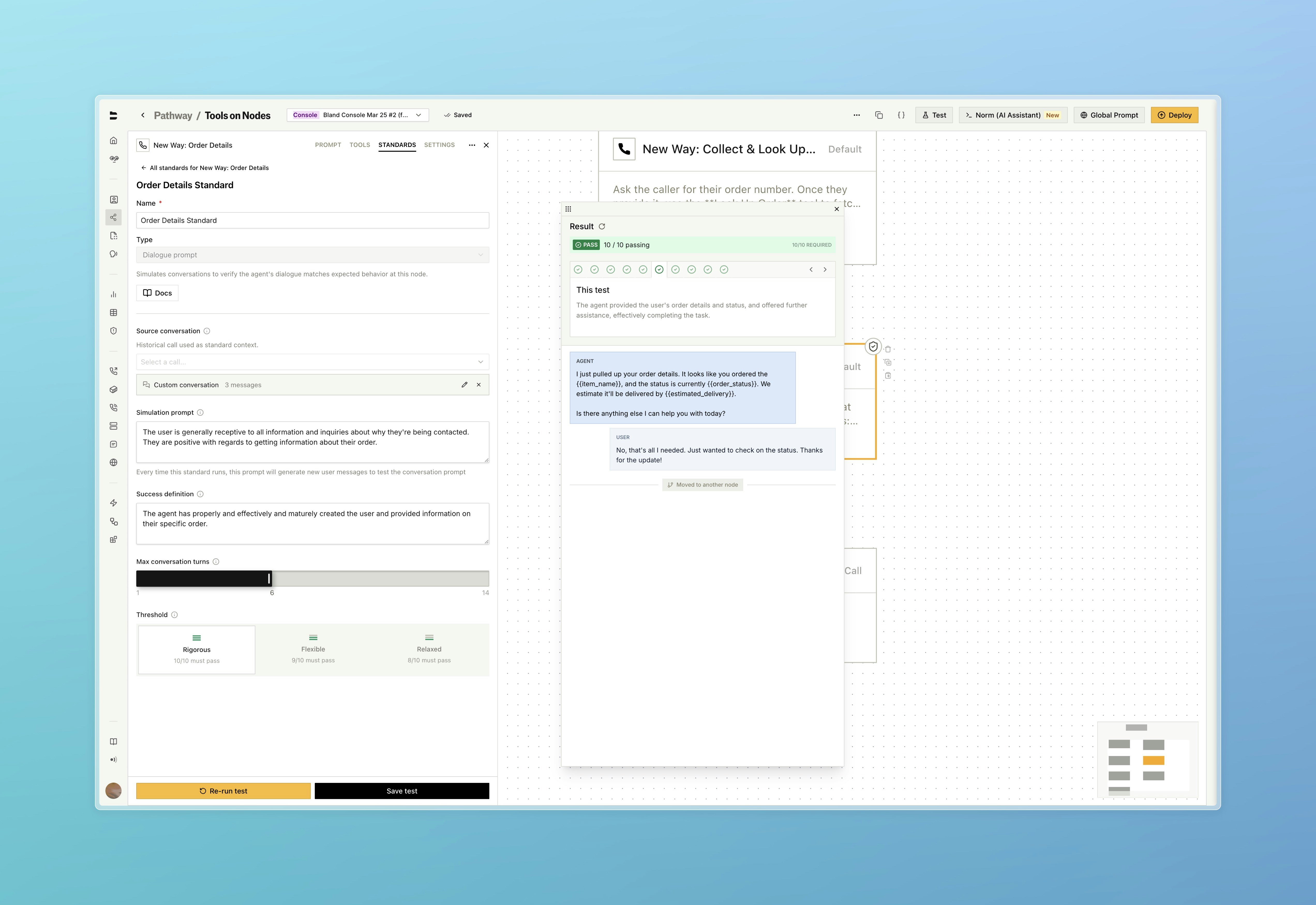
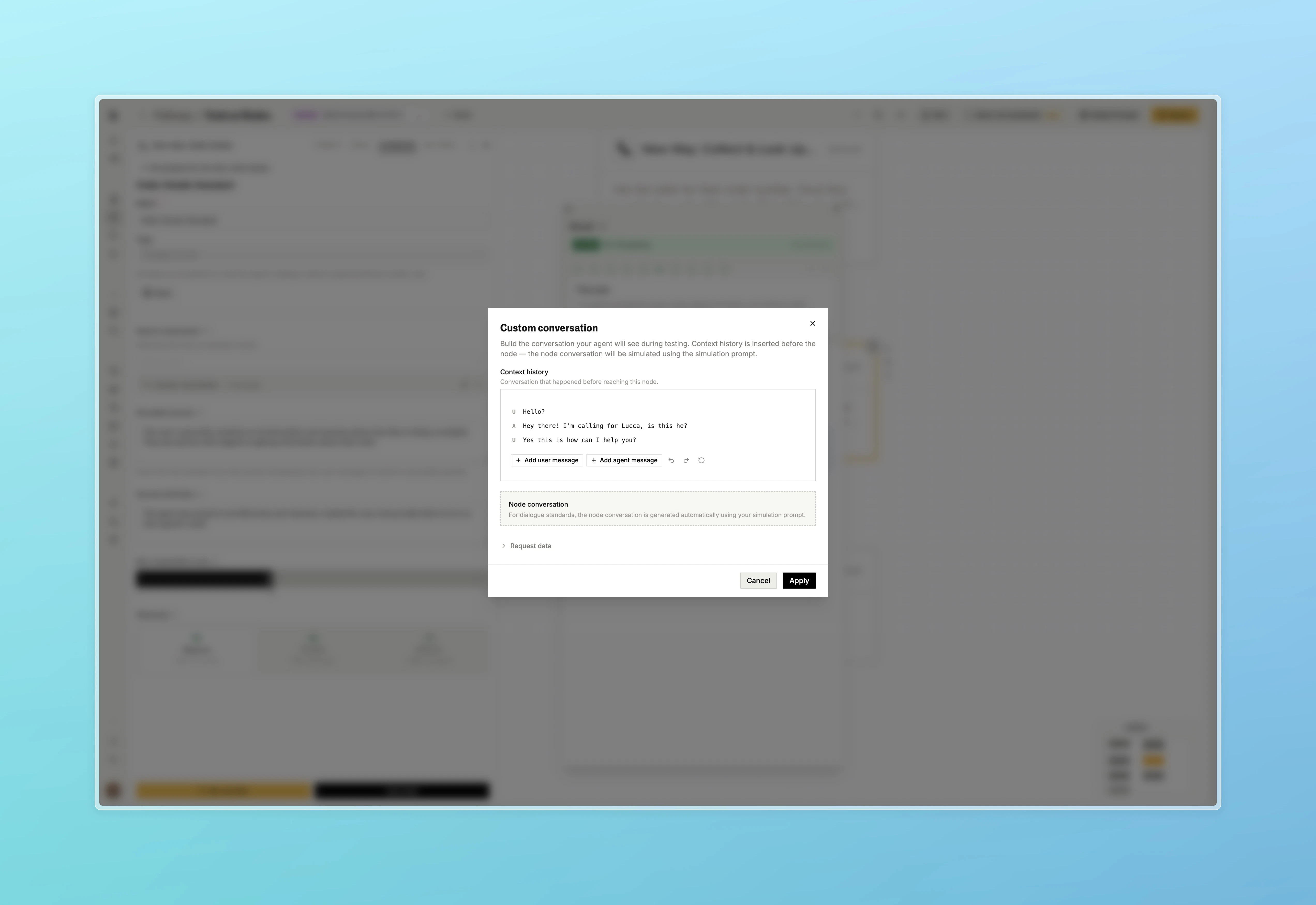
Standards- Custom messages can now be set when configuring a standard, rather than relying solely on auto-generated simulation prompts
- Custom Conversation
- Simulation
- Conversation Builder
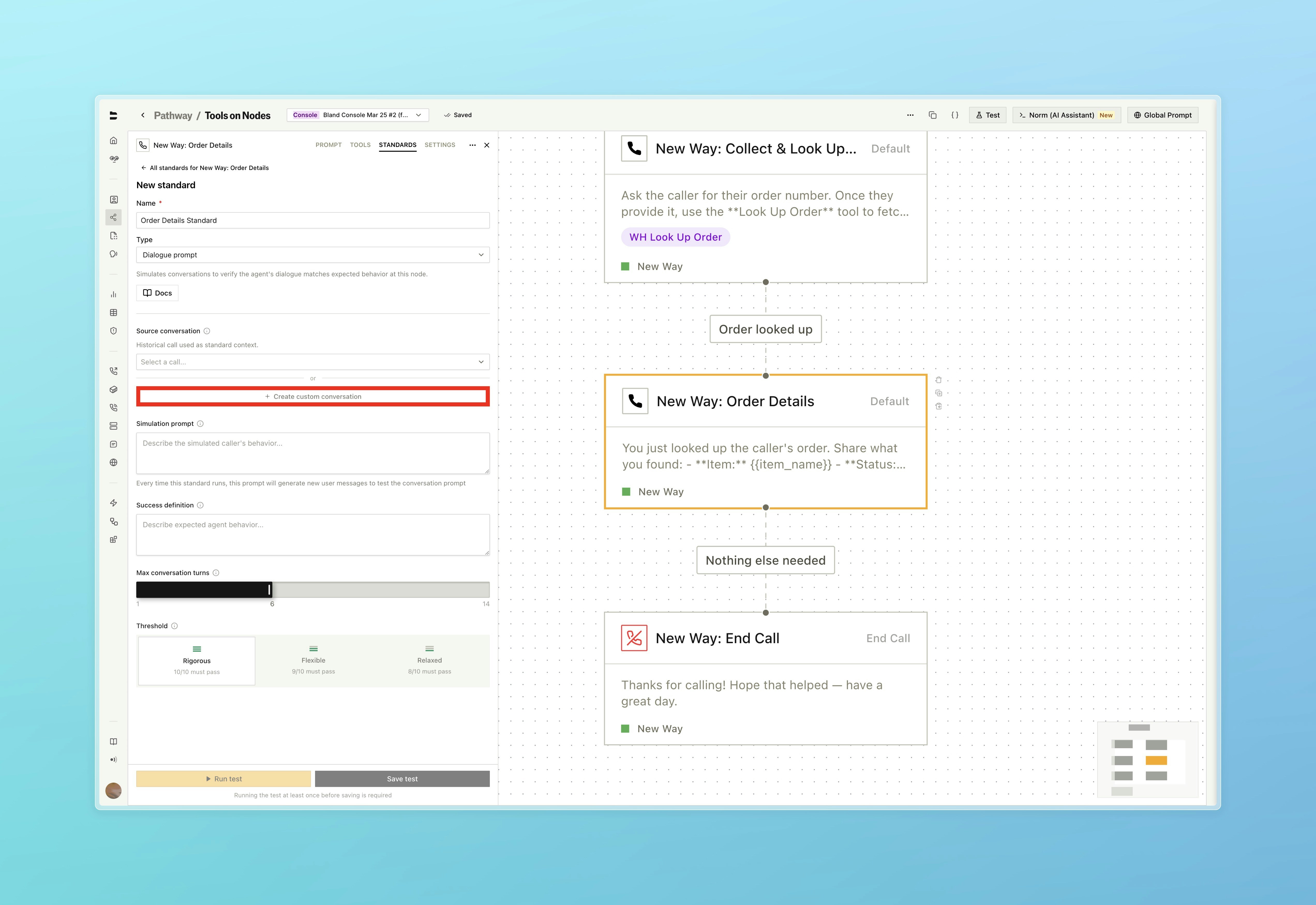
Set a custom conversation directly on the standard instead of selecting one from your call history
- A translate button has been added to widget conversation logs for messages in non-English languages
- SIP trunks are now available to all organizations. The previous entitlement requirement has been removed. Visit the SIP dashboard or read the SIP integration docs to get started