

More Tool Types on Pathway Nodes
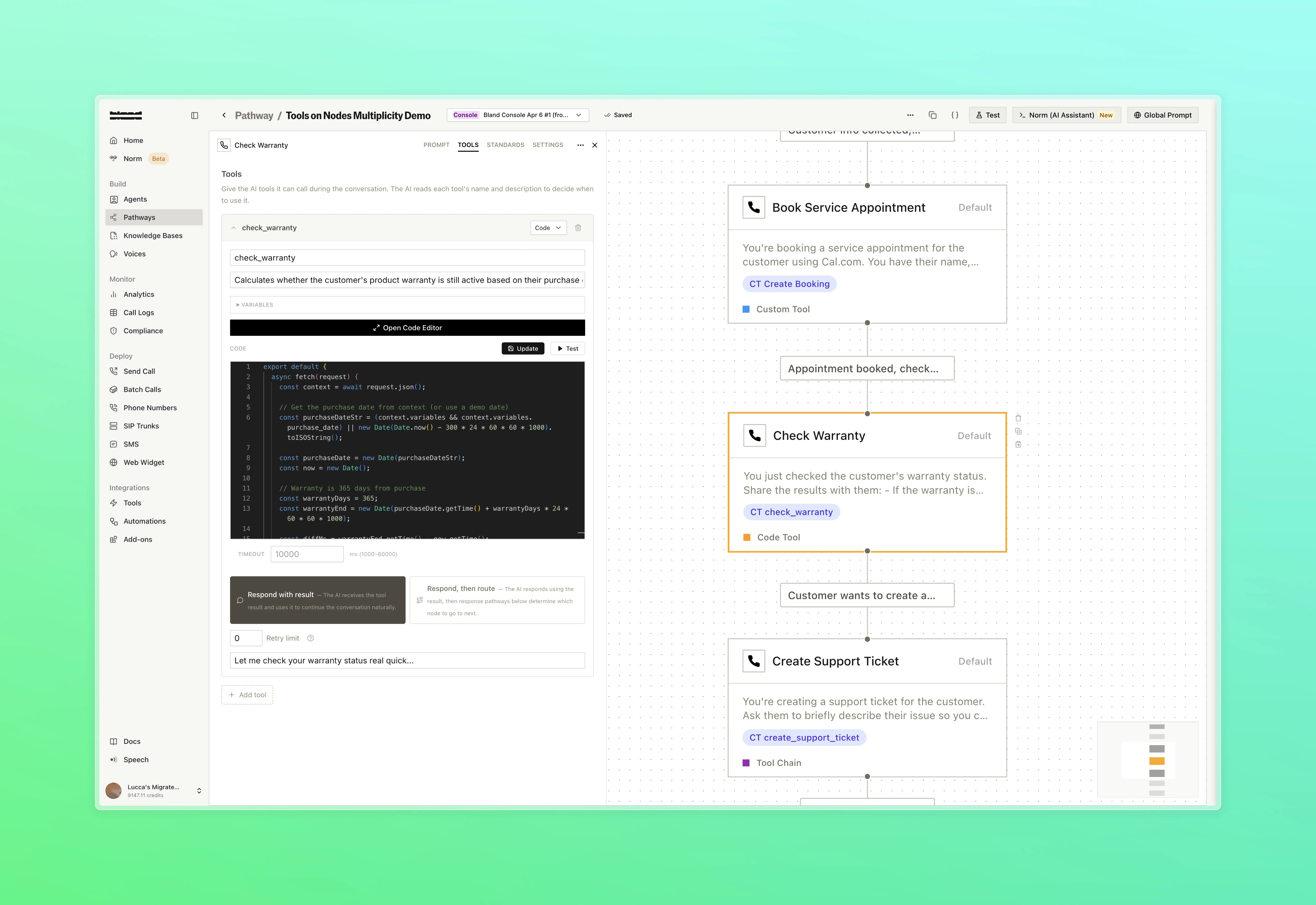
Three new tool types are now available directly on Default nodes, expanding on the webhook tool support introduced on March 23. Each type runs inline with the node and follows the same pattern: the agent decides when to invoke based on your dialogue prompt.- Code: Write JavaScript directly in the node using the inline code editor. Code runs in a secure isolate and has access to conversation variables
- Custom Tool: Attach any saved tool from your tool library directly to a node, with support for overriding individual fields using pathway variables
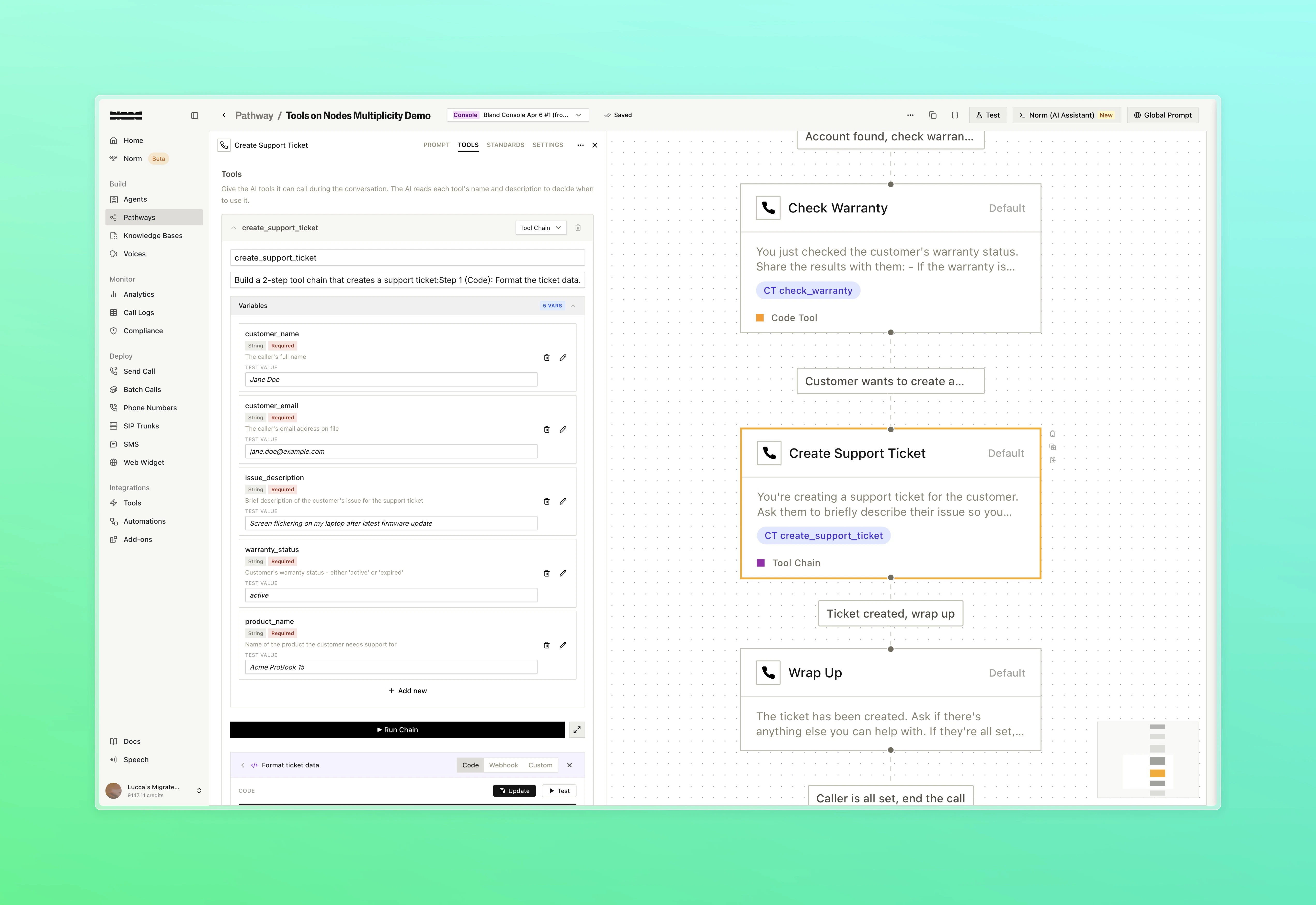
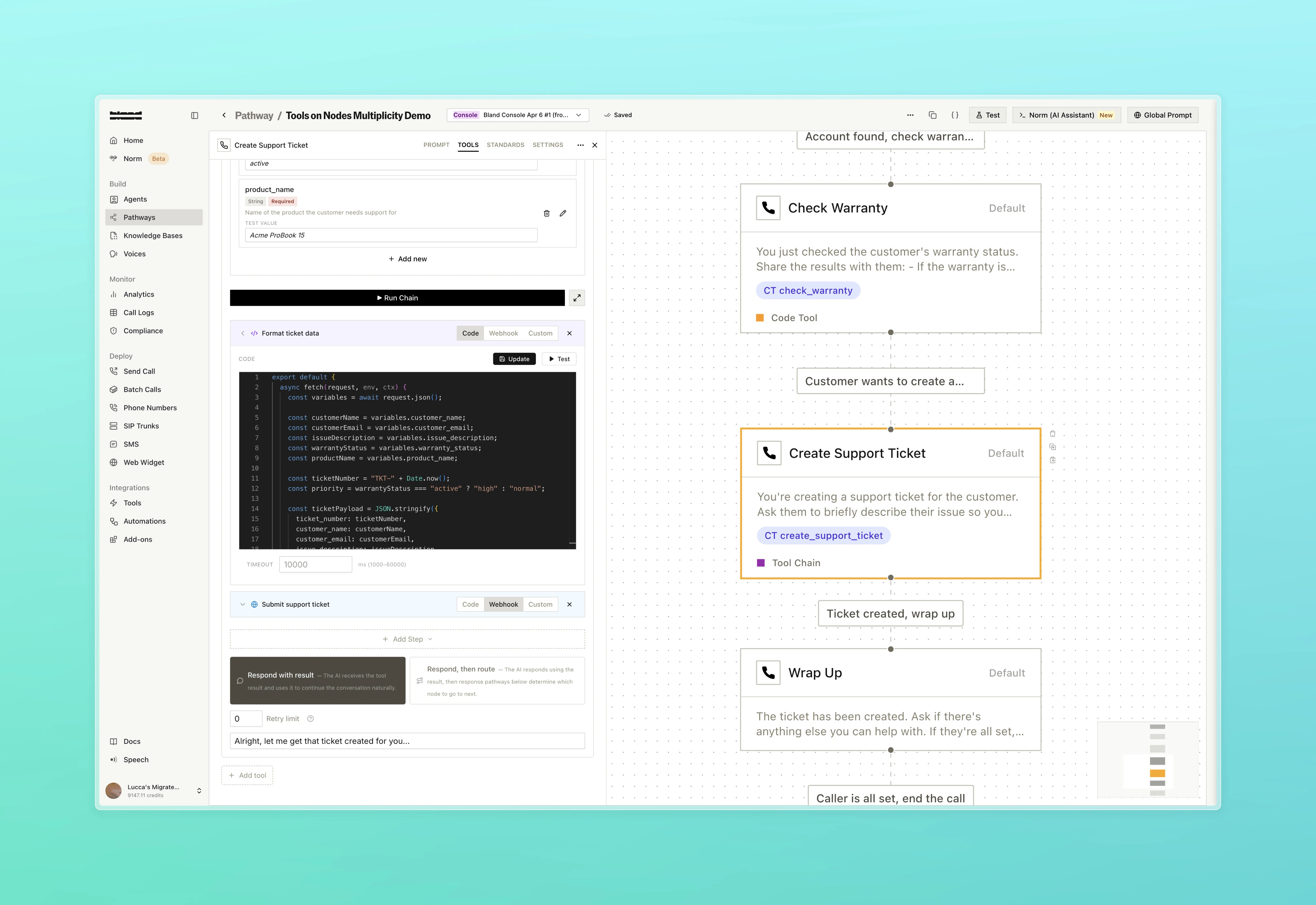
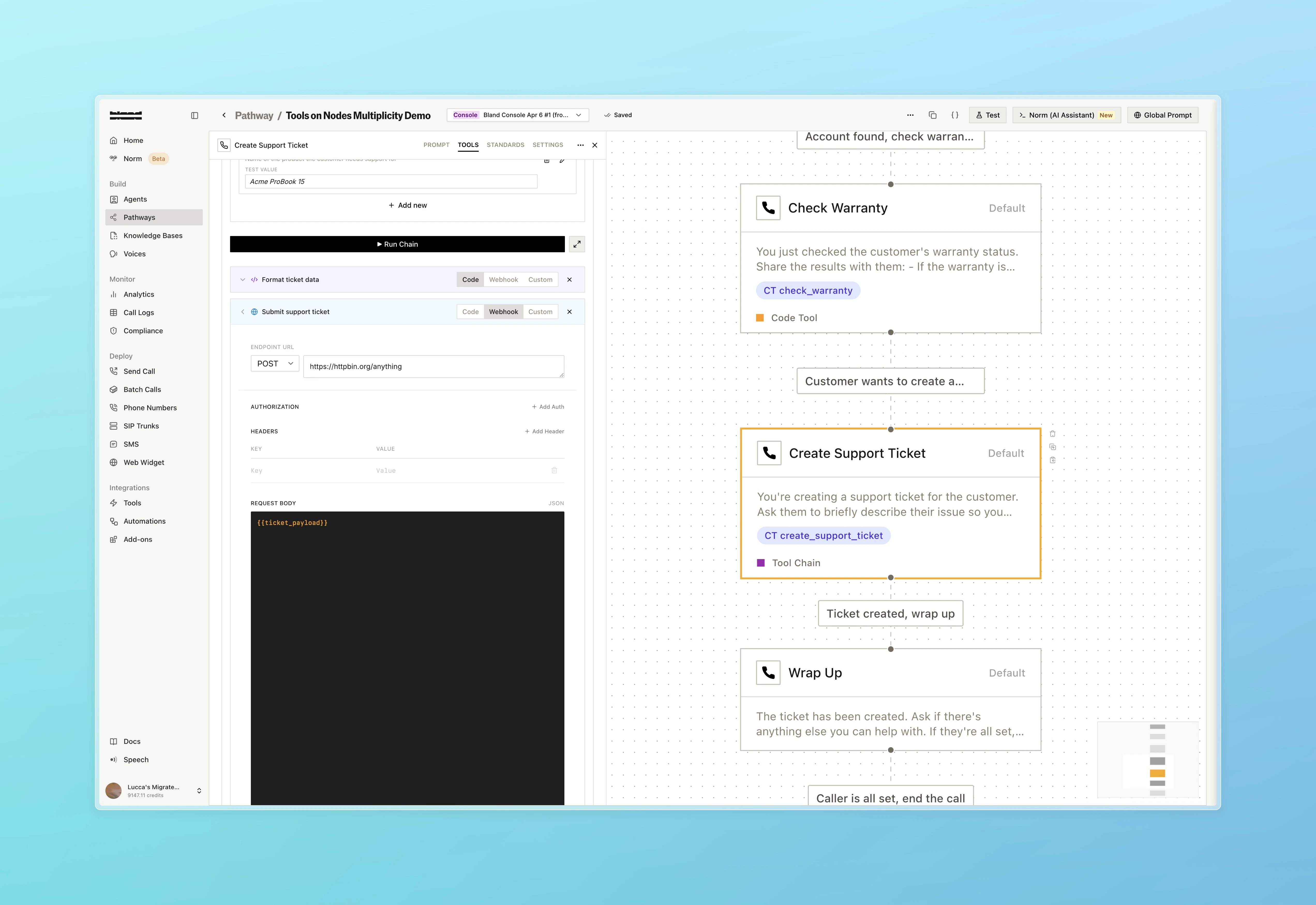
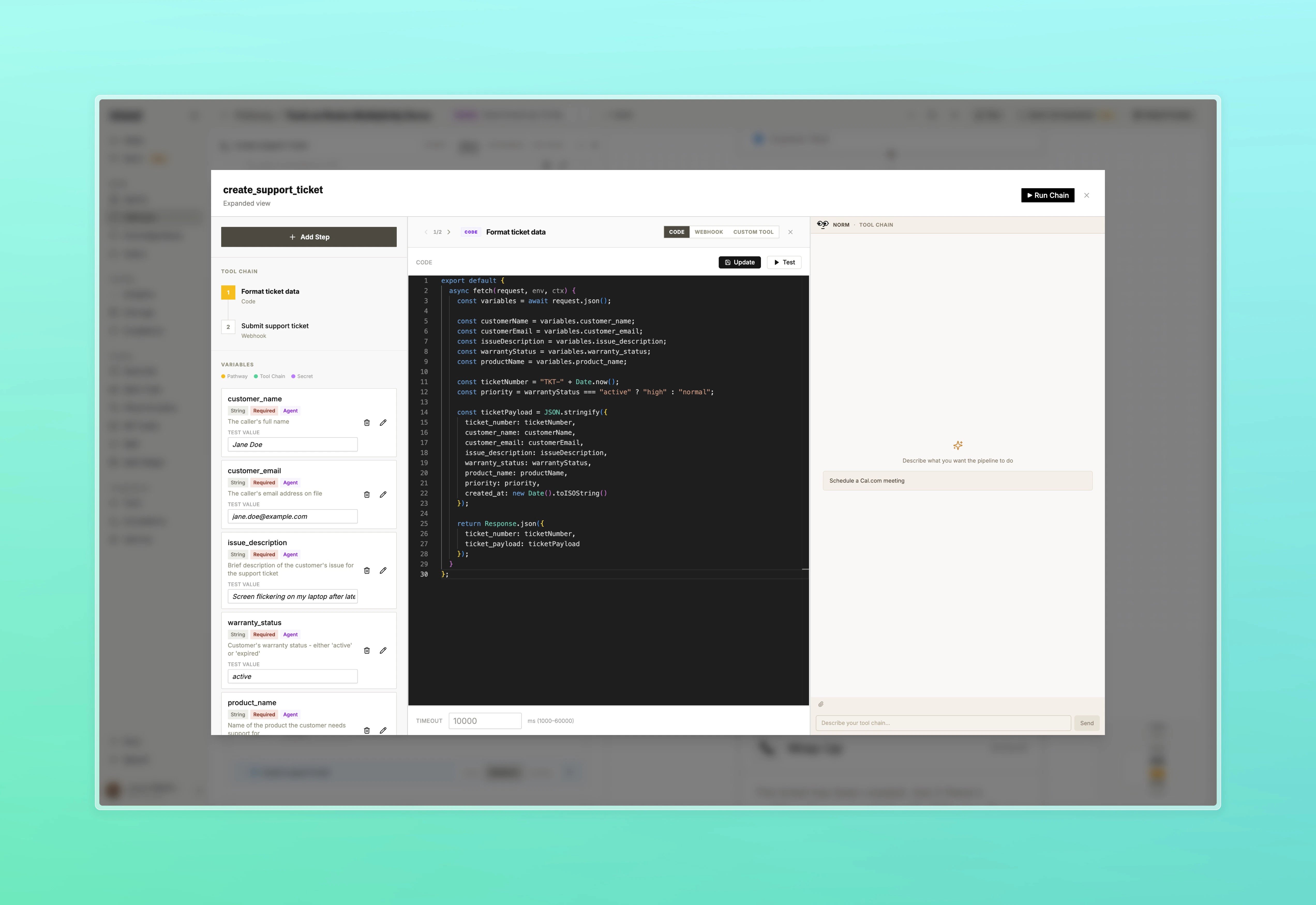
- Tool Chain: Build a multi-step pipeline that sequences webhooks, code, and custom tools in order, passing variables between steps. Use Norm within the expanded view to help configure and test the chain without leaving the node drawer!
- Book Appointment
- Check Warranty
- Tool Chain: Variables
- Tool Chain: Step 1
- Tool Chain: Step 2
- Expanded View
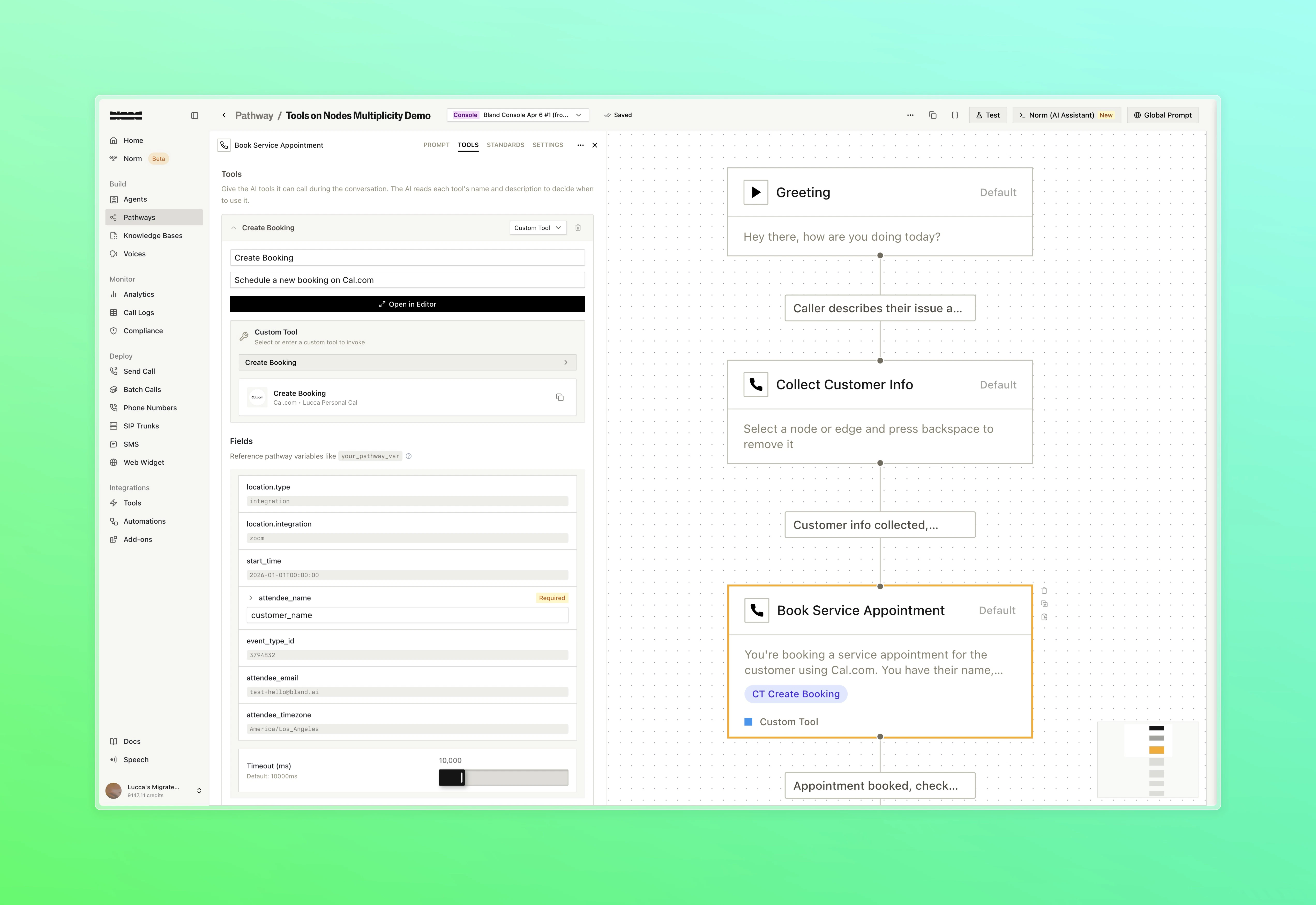
The Book Service Appointment node uses a Custom Tool to call the Cal.com Create Booking integration directly from the node
Improvements
Call Logs- Added Dialed At, Outcomes, and Transferred To as filterable fields in call logs. Dialed At and disposition logs are also now included in the call logs export
- Fluent is now available as the recommended multilingual language option. Supports improved language switching across English, Spanish, French, and German
- Quick replies, cards, and accordions now persist in the chat across page refreshes
- The active widget thread ID is now reflected in the URL for direct linking
- Calendly tools now support dynamic resource routing. Set
resource_idusing a pathway variable (e.g.{{advisor_resource_id}}) to route bookings to different calendars at call time
- Admins and owners can now set a default role for new members joining the organization