> ## Documentation Index
> Fetch the complete documentation index at: https://docs.bland.ai/llms.txt
> Use this file to discover all available pages before exploring further.
# Claude Code
> Connect Claude Code to your Bland account with one command
Two ways to connect, depending on how deep you want to go:
* **Just the MCP server**: one command that gives Claude every Bland tool.
* **The Norm plugin**: the MCP server plus slash commands, specialized agents, and a file-based pathway workspace. This is the full Bland development experience in Claude Code.
## Prerequisites
* [Claude Code](https://code.claude.com) installed
* Your Bland API key from the [dashboard](https://app.bland.ai/dashboard/settings)
## Option 1: Add the MCP server
```bash theme={null}
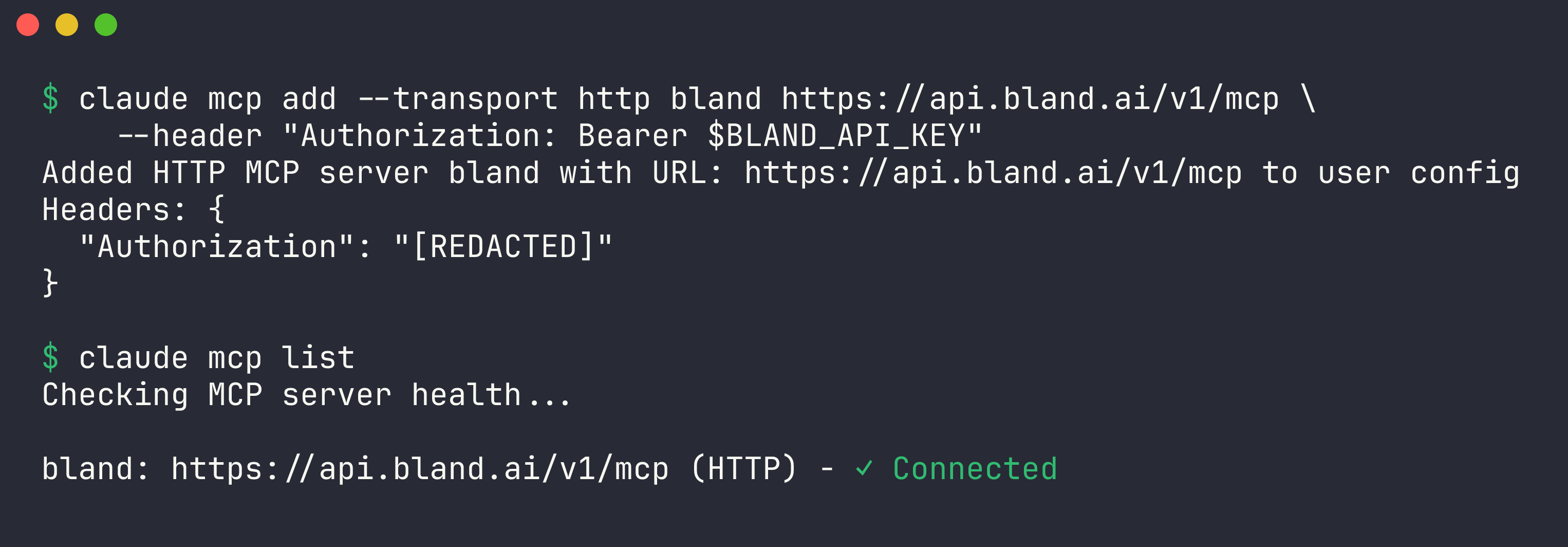
claude mcp add --transport http bland https://api.bland.ai/v1/mcp \
--header "Authorization: Bearer $BLAND_API_KEY"
```
That's it. Verify the connection:
```bash theme={null}
claude mcp list
```
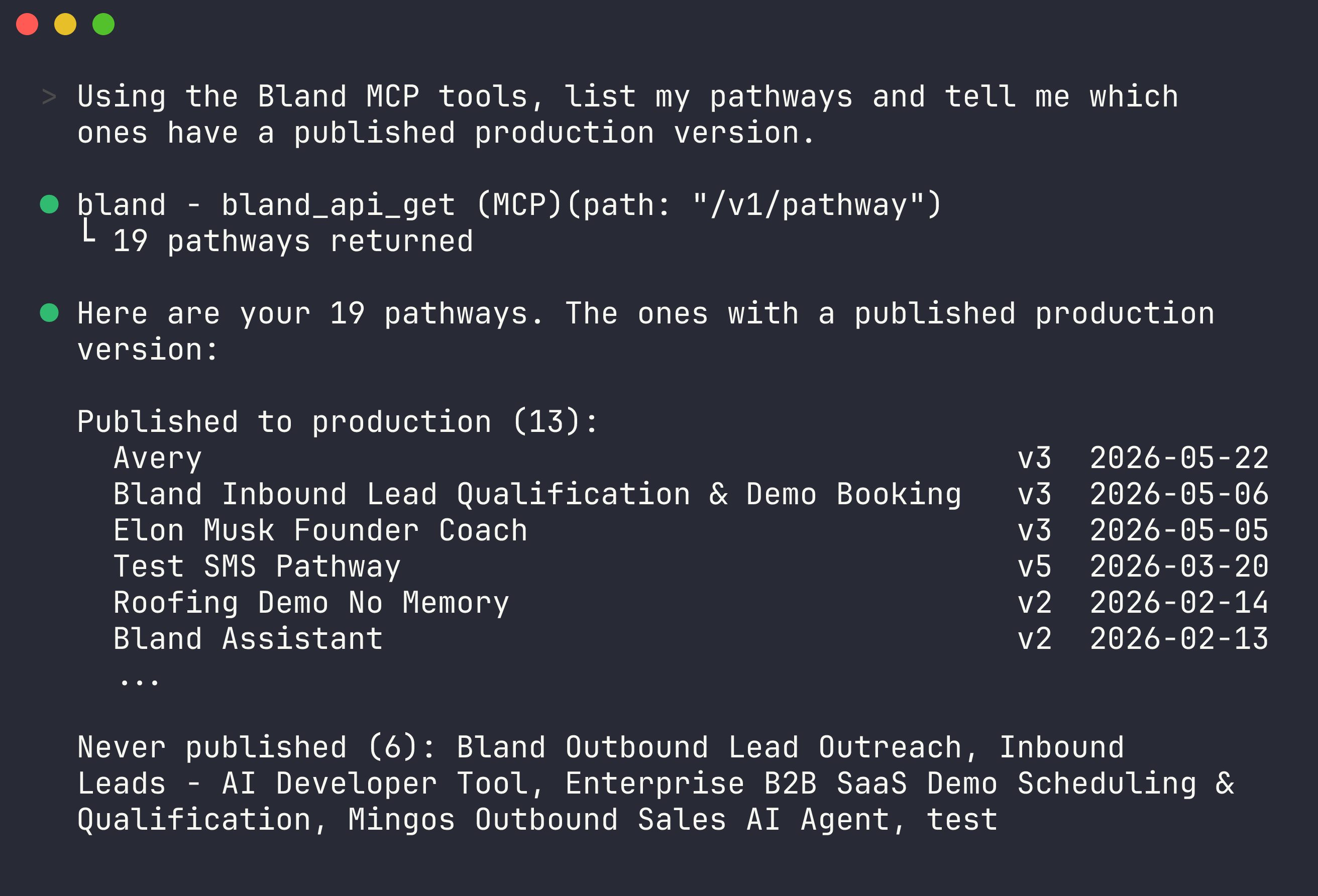
 Inside a session, run `/mcp` to see the server's tools, or just ask:
```
> list my pathways and tell me which ones have no published version
> pull the transcript of my last call and explain where the agent went off script
> create a pathway that qualifies inbound leads and books a demo
```
By default `claude mcp add` configures the server for the current project only. Add `--scope user` to make it available in every project.
## Option 2: Install the Norm plugin
Norm layers a complete pathway-engineering workflow on top of the MCP server: clone a pathway into local files, edit it like code, validate against the real compiler, commit versions, simulate conversations, and converge on a goal with an autonomous test loop.
Inside Claude Code:
```
/plugin marketplace add CINTELLILABS/bland-plugins
/plugin install norm@bland
```
The installer prompts for your API key and stores it securely. Then start with:
```
/norm:norm build me an agent that confirms dental appointments
```
Useful commands once you're in:
| Command | What it does |
| ---------------- | ---------------------------------------------------------- |
| `/norm:list` | List the pathways on your account |
| `/norm:clone` | Pull a pathway into a local file workspace |
| `/norm:validate` | Check your edits against the authoritative server compiler |
| `/norm:test` | Simulate a conversation against your local pathway |
| `/norm:commit` | Save (and optionally publish) a new version |
| `/norm:loop` | Autonomous build-test-fix loop until a goal passes |
| `/norm:smoke` | Self-test your setup end to end |
Inside a session, run `/mcp` to see the server's tools, or just ask:
```
> list my pathways and tell me which ones have no published version
> pull the transcript of my last call and explain where the agent went off script
> create a pathway that qualifies inbound leads and books a demo
```
By default `claude mcp add` configures the server for the current project only. Add `--scope user` to make it available in every project.
## Option 2: Install the Norm plugin
Norm layers a complete pathway-engineering workflow on top of the MCP server: clone a pathway into local files, edit it like code, validate against the real compiler, commit versions, simulate conversations, and converge on a goal with an autonomous test loop.
Inside Claude Code:
```
/plugin marketplace add CINTELLILABS/bland-plugins
/plugin install norm@bland
```
The installer prompts for your API key and stores it securely. Then start with:
```
/norm:norm build me an agent that confirms dental appointments
```
Useful commands once you're in:
| Command | What it does |
| ---------------- | ---------------------------------------------------------- |
| `/norm:list` | List the pathways on your account |
| `/norm:clone` | Pull a pathway into a local file workspace |
| `/norm:validate` | Check your edits against the authoritative server compiler |
| `/norm:test` | Simulate a conversation against your local pathway |
| `/norm:commit` | Save (and optionally publish) a new version |
| `/norm:loop` | Autonomous build-test-fix loop until a goal passes |
| `/norm:smoke` | Self-test your setup end to end |
 ## Next steps
Everything the MCP server can do.
Cursor, Codex, VS Code, Windsurf, and raw HTTP.
Docs for agents: [llms.txt](/llms.txt)
## Next steps
Everything the MCP server can do.
Cursor, Codex, VS Code, Windsurf, and raw HTTP.
Docs for agents: [llms.txt](/llms.txt)