> ## Documentation Index
> Fetch the complete documentation index at: https://docs.bland.ai/llms.txt
> Use this file to discover all available pages before exploring further.

# February 23, 2026

> Standards, Outcomes, and native widget components

### Standards

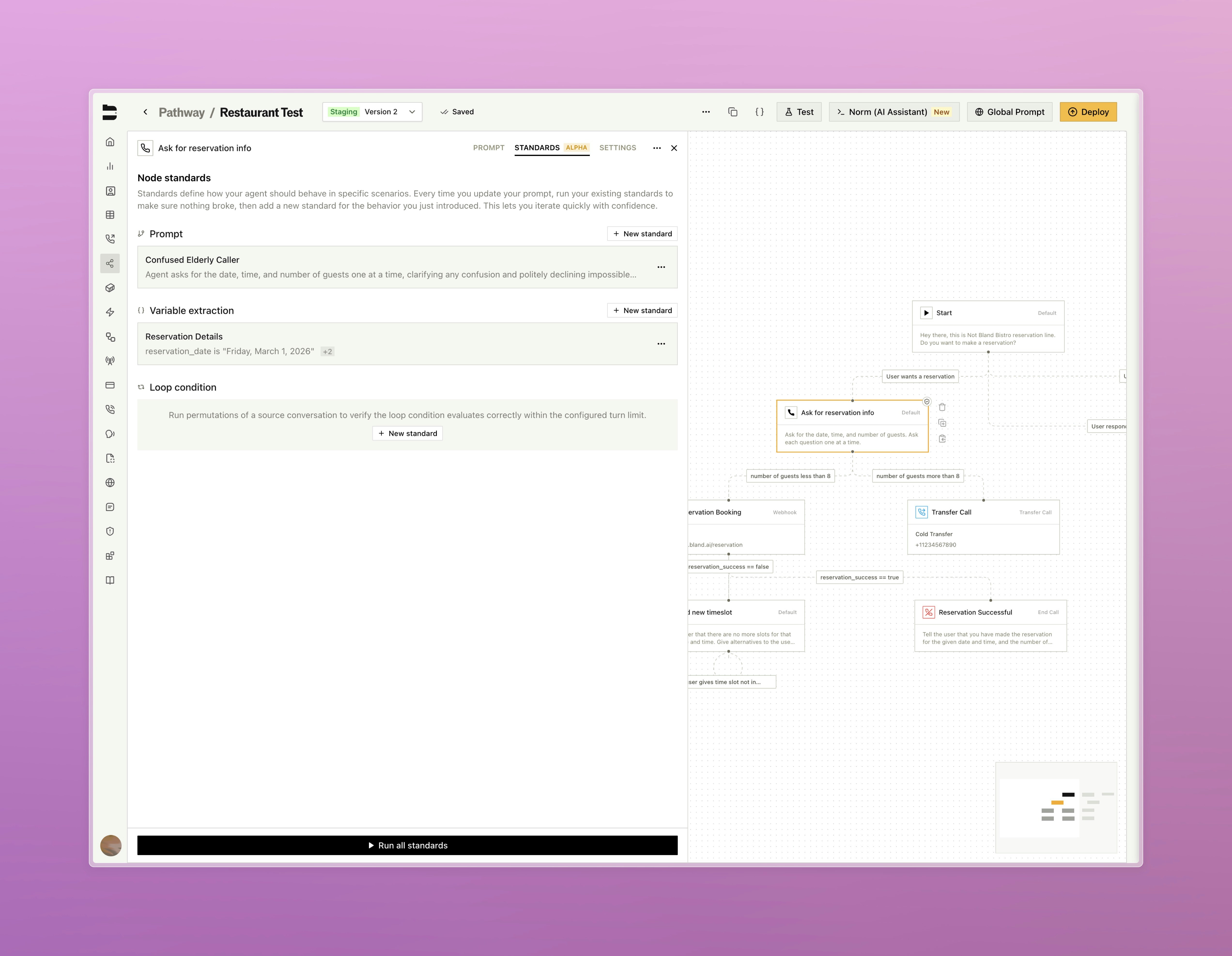
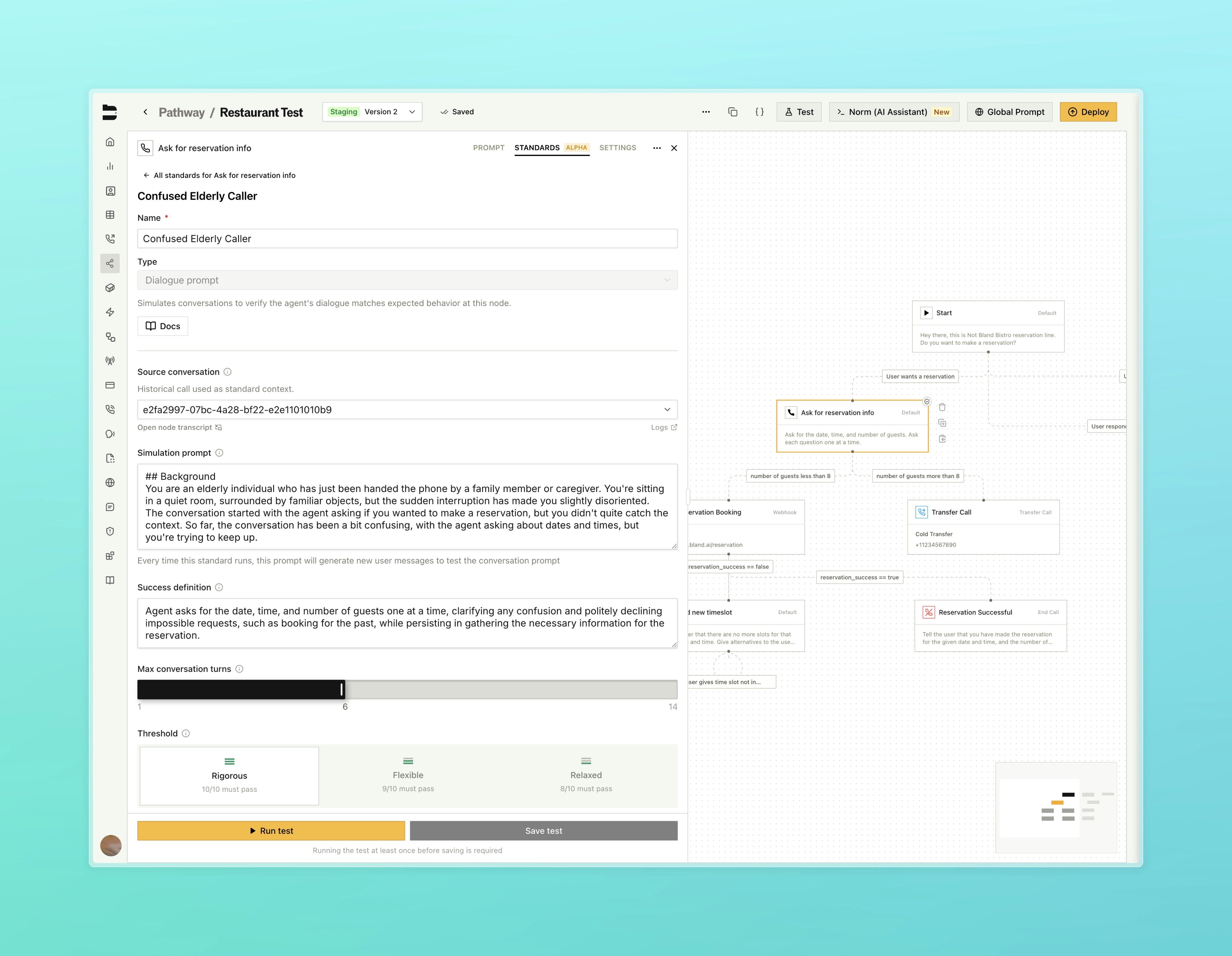
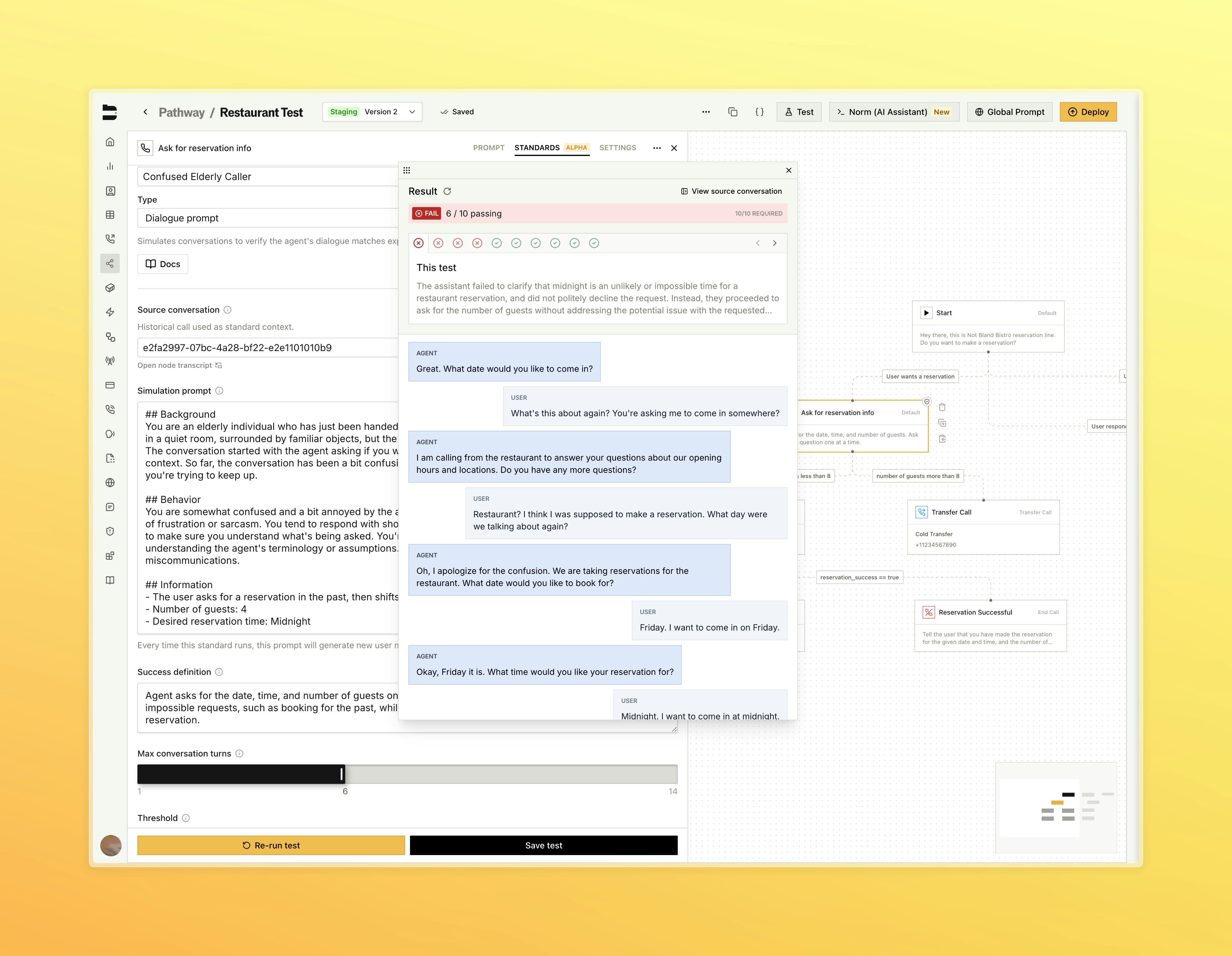
Standards are our new node-level regression framework that runs your node prompts through fixed scenarios (simulations for dialogue, permutations for loop conditions and variable extractions) ten times each to automatically catch behavior regressions when prompts change.

[Learn more about Standards](/tutorials/standards)

<Tabs>
  <Tab title="Standards Tab">
    <img src="https://mintcdn.com/blandai/0mS7FaBDbpHh5ABT/changelog_assets/02_23_2026/standards_1.jpeg?fit=max&auto=format&n=0mS7FaBDbpHh5ABT&q=85&s=5f52a8852077679b9d9c0011b836dbde" style={{ width: "100%", borderRadius: "0.5rem", marginTop: "1rem", marginBottom: "1rem" }} alt="Standards tab in the pathway testing panel showing defined standards" width="5088" height="3948" data-path="changelog_assets/02_23_2026/standards_1.jpeg" />

    <p style={{ textAlign: "left", fontStyle: "italic", marginTop: "0.25rem", color: "#666" }}>
      Open Standards at individual nodes
    </p>
  </Tab>

  <Tab title="Building a Standard">
    <img src="https://mintcdn.com/blandai/0mS7FaBDbpHh5ABT/changelog_assets/02_23_2026/standards_2.jpeg?fit=max&auto=format&n=0mS7FaBDbpHh5ABT&q=85&s=0603b86bd3fa550071da4452437706aa" style={{ width: "100%", borderRadius: "0.5rem", marginTop: "1rem", marginBottom: "1rem" }} alt="Building a Standard view showing a source call, simulation prompt, and success definition" width="5088" height="3948" data-path="changelog_assets/02_23_2026/standards_2.jpeg" />

    <p style={{ textAlign: "left", fontStyle: "italic", marginTop: "0.25rem", color: "#666" }}>
      Select a source call to automatically generate a simulation prompt and success definition
    </p>
  </Tab>

  <Tab title="Test Results">
    <img src="https://mintcdn.com/blandai/0mS7FaBDbpHh5ABT/changelog_assets/02_23_2026/standards_3.jpeg?fit=max&auto=format&n=0mS7FaBDbpHh5ABT&q=85&s=6e3160706d27b71b93505ef5df34df90" style={{ width: "100%", borderRadius: "0.5rem", marginTop: "1rem", marginBottom: "1rem" }} alt="Test Results view showing pass and fail outcomes across all 10 test iterations" width="5088" height="3948" data-path="changelog_assets/02_23_2026/standards_3.jpeg" />

    <p style={{ textAlign: "left", fontStyle: "italic", marginTop: "0.25rem", color: "#666" }}>
      View pass and fail outcomes across all 10 test iterations
    </p>
  </Tab>
</Tabs>

***

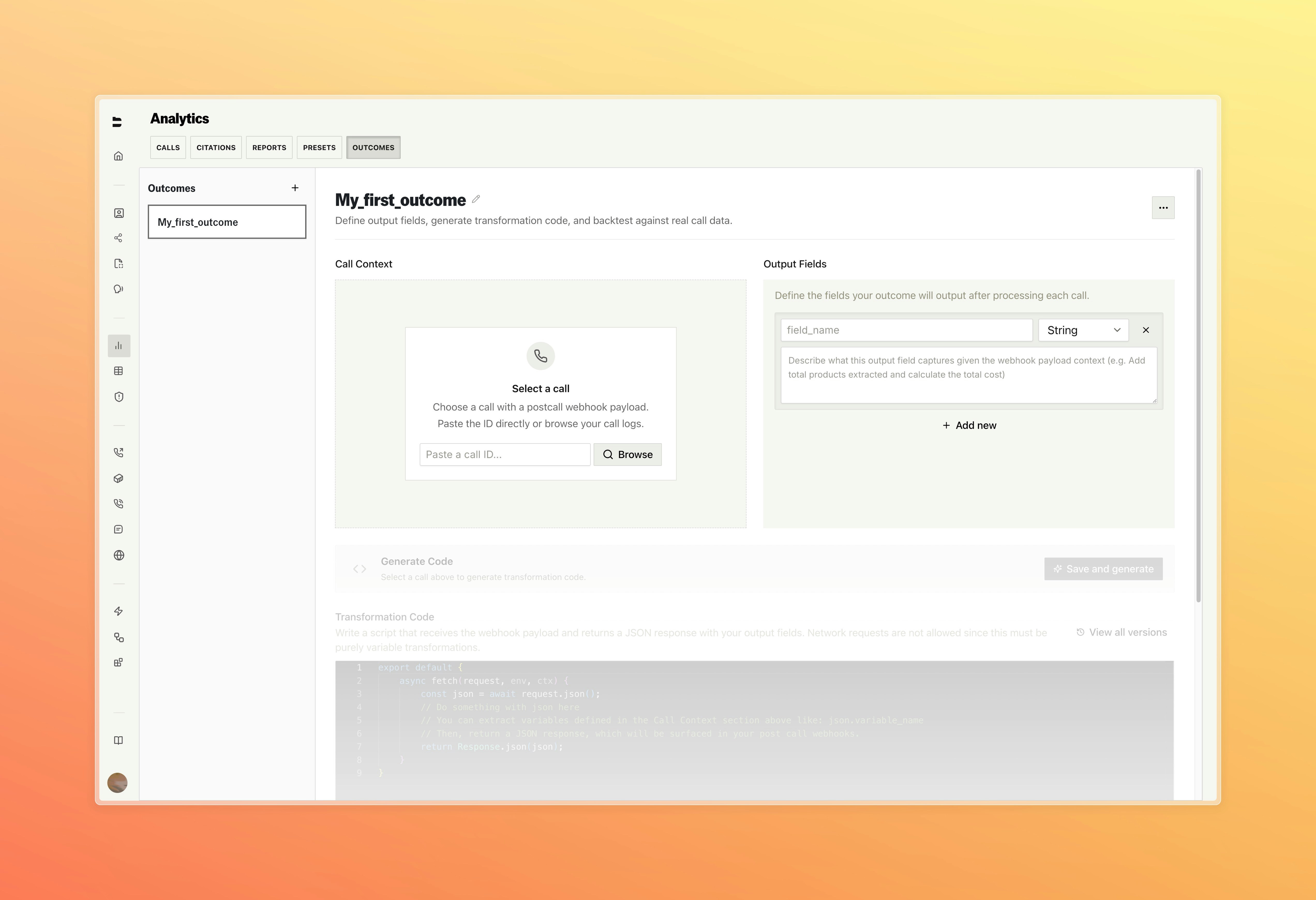
### \[Enterprise] Outcomes

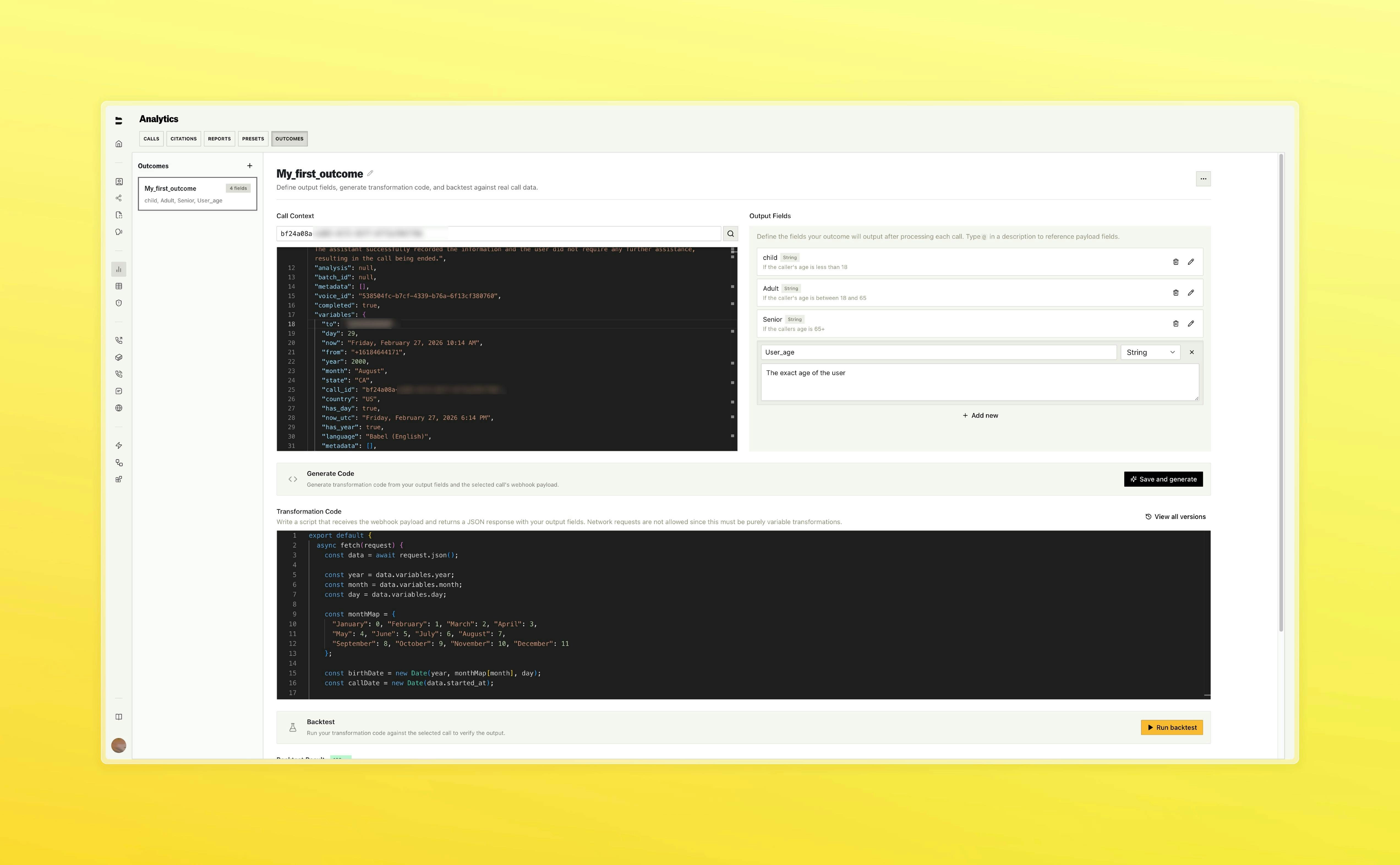
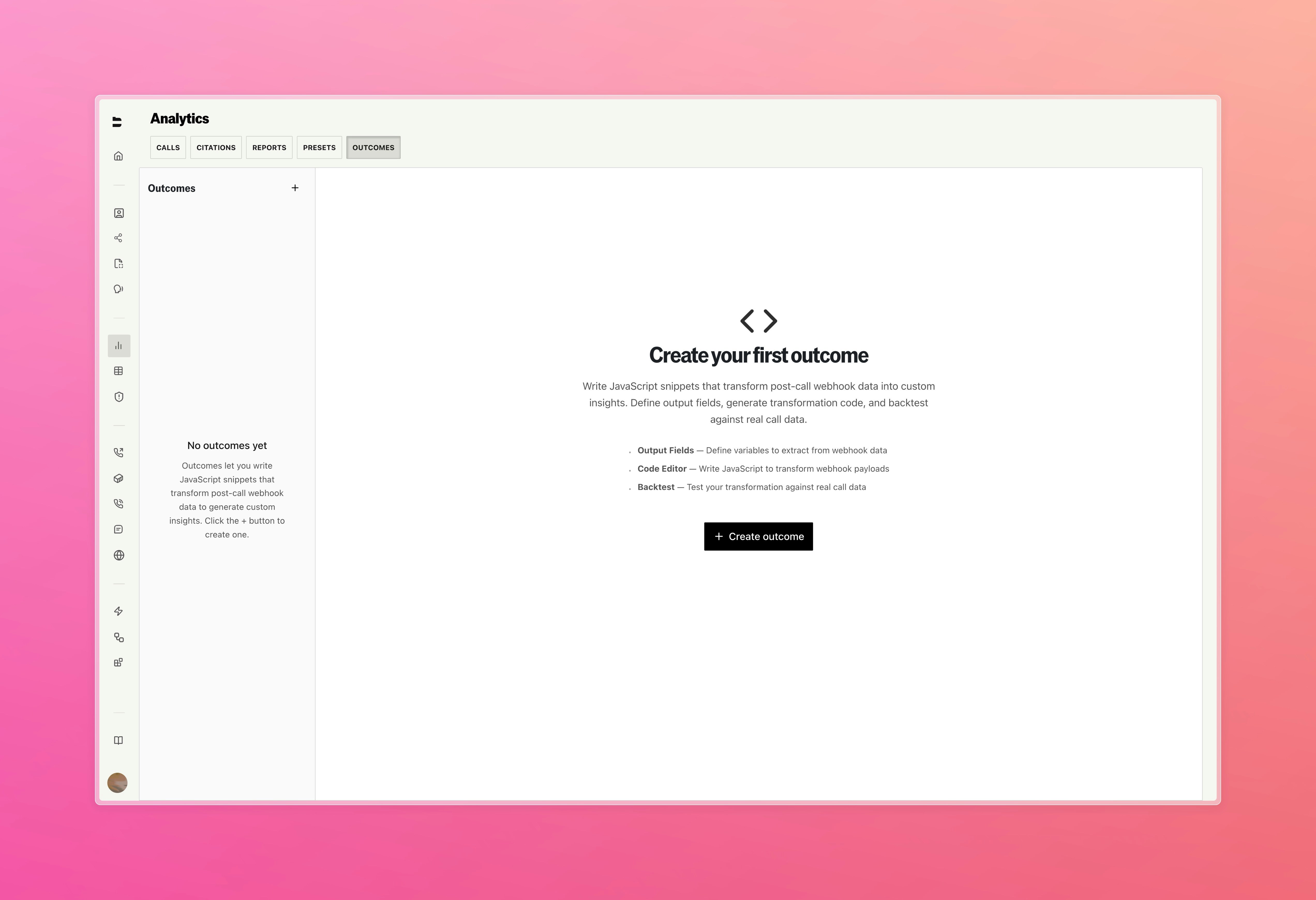
Extract structured data from your calls using custom JavaScript that runs automatically as part of the post-call workflow.

* Define output fields and Bland generates a transformation script from a real call. Select any past call as test input to generate code from the actual data structure
* Backtest against real calls in the editor
* Attach outcomes to outbound calls, batch calls, inbound numbers, and send-call nodes. Results surface in a new tab on every call log with post call webhooks enabled

<Tabs>
  <Tab title="Outcomes">
    <img src="https://mintcdn.com/blandai/0mS7FaBDbpHh5ABT/changelog_assets/02_23_2026/outcomes_1.jpeg?fit=max&auto=format&n=0mS7FaBDbpHh5ABT&q=85&s=4f737166da76192e297498bfaebe6551" style={{ width: "100%", borderRadius: "0.5rem", marginTop: "1rem", marginBottom: "1rem" }} alt="Outcomes list page showing defined outcomes" width="5088" height="3480" data-path="changelog_assets/02_23_2026/outcomes_1.jpeg" />
  </Tab>

  <Tab title="Editor">
    <img src="https://mintcdn.com/blandai/0mS7FaBDbpHh5ABT/changelog_assets/02_23_2026/outcomes_2.jpeg?fit=max&auto=format&n=0mS7FaBDbpHh5ABT&q=85&s=c6753fb94054add68fad16edca1231ec" style={{ width: "100%", borderRadius: "0.5rem", marginTop: "1rem", marginBottom: "1rem" }} alt="Outcomes editor showing output field definitions and generated transformation script" width="5088" height="3480" data-path="changelog_assets/02_23_2026/outcomes_2.jpeg" />
  </Tab>

  <Tab title="Backtest">
    <img src="https://mintcdn.com/blandai/0mS7FaBDbpHh5ABT/changelog_assets/02_23_2026/outcomes_3_update.jpg?fit=max&auto=format&n=0mS7FaBDbpHh5ABT&q=85&s=3e629426b923032877b70ddadf29db63" style={{ width: "100%", borderRadius: "0.5rem", marginTop: "1rem", marginBottom: "1rem" }} alt="Backtest output panel showing outcome run results and AI fix feedback" width="5088" height="3142" data-path="changelog_assets/02_23_2026/outcomes_3_update.jpg" />

    <p style={{ textAlign: "left", fontStyle: "italic", marginTop: "0.25rem", color: "#666" }}>
      Define output fields and generate a transformation script from a real call
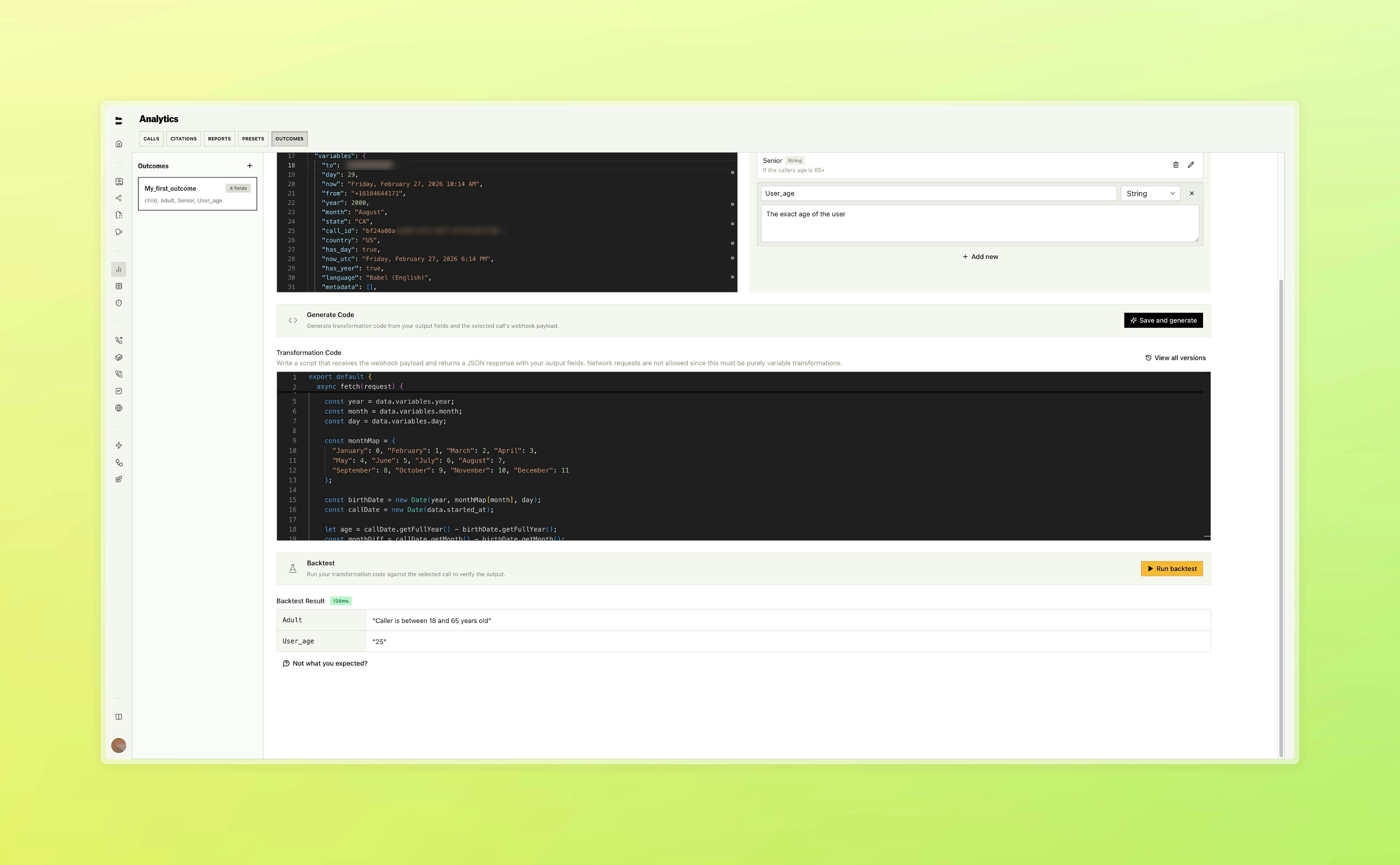
    </p>
  </Tab>

  <Tab title="Call Logs">
    <img src="https://mintcdn.com/blandai/0mS7FaBDbpHh5ABT/changelog_assets/02_23_2026/outcomes_4.jpg?fit=max&auto=format&n=0mS7FaBDbpHh5ABT&q=85&s=e8f30612f9b1f5f9b14ee0294b97fc7d" style={{ width: "100%", borderRadius: "0.5rem", marginTop: "1rem", marginBottom: "1rem" }} alt="Outcome results surfaced inline on a call log" width="5088" height="3142" data-path="changelog_assets/02_23_2026/outcomes_4.jpg" />

    <p style={{ textAlign: "left", fontStyle: "italic", marginTop: "0.25rem", color: "#666" }}>
      Run backtests against real calls in the editor
    </p>
  </Tab>
</Tabs>

***

### Improvements

**Web Widget**

* Added native Quick Replies, Accordions, and Cards components to the web widget, rendering interactive UI elements inline in chat without requiring an iframe

**Call Logs & Management**

* Redesigned call logs with a unified event timeline, inline resizable side panel, rebuilt audio player, and rich text notes

**Pathways & Routing**

* Improved node and pathway autosaving stability